


























Pokémon GO Cooldown Time Guide: Rules, Triggers & Safe Waiting
- Support
- Software Tutorials
- Kate
 338
338- 2026-07-02 15:24:43


Pokémon GO cooldown time is a commonly discussed game mechanic related to location-based actions. If you change locations over a long distance and interact with the game too soon, certain actions may fail, or your account may receive a temporary restriction.
This guide explains what Pokémon GO cooldown time means, which actions may affect it, and how iLocGo can help you track your waiting time when changing locations.
Note: Pokémon GO policies and gameplay systems may change at any time. Always follow the game’s Terms of Service and use location changer responsibly.
What Is Pokémon GO Cooldown Time?
Cooldown time refers to a waiting period between two in-game interactions that involve different geographic positions. For example, if you catch a Pokémon in one city and then immediately interact with a PokéStop in a very distant city, the game may detect that the transition happened too quickly. In general, the greater the distance between two actions, the longer the required waiting time before the next interaction.
What May Happen Before Cooldown Ends?
If you perform certain in-game actions before the waiting period has ended, you may experience temporary gameplay restrictions, such as:
Wild Pokémon fleeing immediately
PokéStops or Gyms not responding
“Try Again Later” messages
Difficulty joining raids or interacting with Gym features
Certain location-based actions not working as expected
Repeated abnormal location changes may also increase the risk of account restrictions.
What Actions May Trigger Cooldown?
Cooldown is generally associated with actions that involve your in-game location. Common examples include:
Catching a Pokémon
Catching Pokémon from Incense or Research encounters
Spinning a PokéStop
Spinning a Gym
Battling in a Gym
Joining or completing a Raid battle
Feeding Berries to a Pokémon defending a Gym
Placing a Pokémon in a Gym
Participating in Team GO Rocket battles
For example, if you catch a Pokémon in Los Angeles and then immediately spin a PokéStop in Tokyo, the game may treat the movement as unrealistic because the travel time between the two locations is too short.
What Actions Usually Do Not Trigger Cooldown?
Some activities are considered passive because they do not involve interacting with nearby game points or encounters. These include:
Opening Pokémon GO
Viewing Pokémon, Items, or Journal
Checking the map
Viewing PokéStops or Gyms without interaction
Changing avatar appearance
Checking Friends list
Sending or receiving Gifts
Using items such as Lucky Eggs or Star Pieces
Moving around the map without catching or interacting
Switching areas without performing any action afterward
These actions may be available while you are waiting, but game behavior can vary by version and account status.
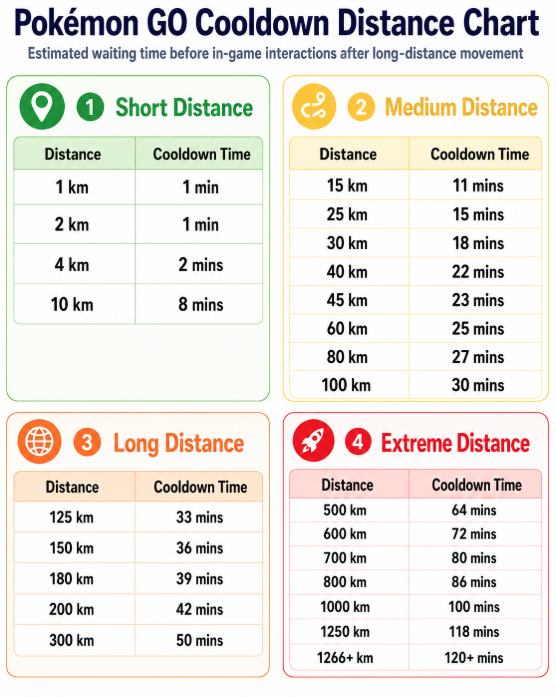
Pokémon GO Cooldown Time and Distance
Cooldown time is typically based on the distance between your previous in-game action and your next interaction. Check the chart below to view the latest Pokémon GO cooldown times.
How to Change Location Safely in Pokémon GO
When changing your in-game position over long distances, it is important to wait before performing any actions. This helps reduce the risk of temporary gameplay restrictions.
To make this easier, iLocGo provides a built-in cooldown timer that calculates waiting time based on distance. This allows you to better understand when it may be safe to continue interacting with the game. It has the following features:
Automatic cooldown time calculation based on distance
Clear countdown reminder after changing location
Route planning for multi-stop movement
Joystick or movement simulation for smoother navigation
How to use iLocGo’s cooldown timer:
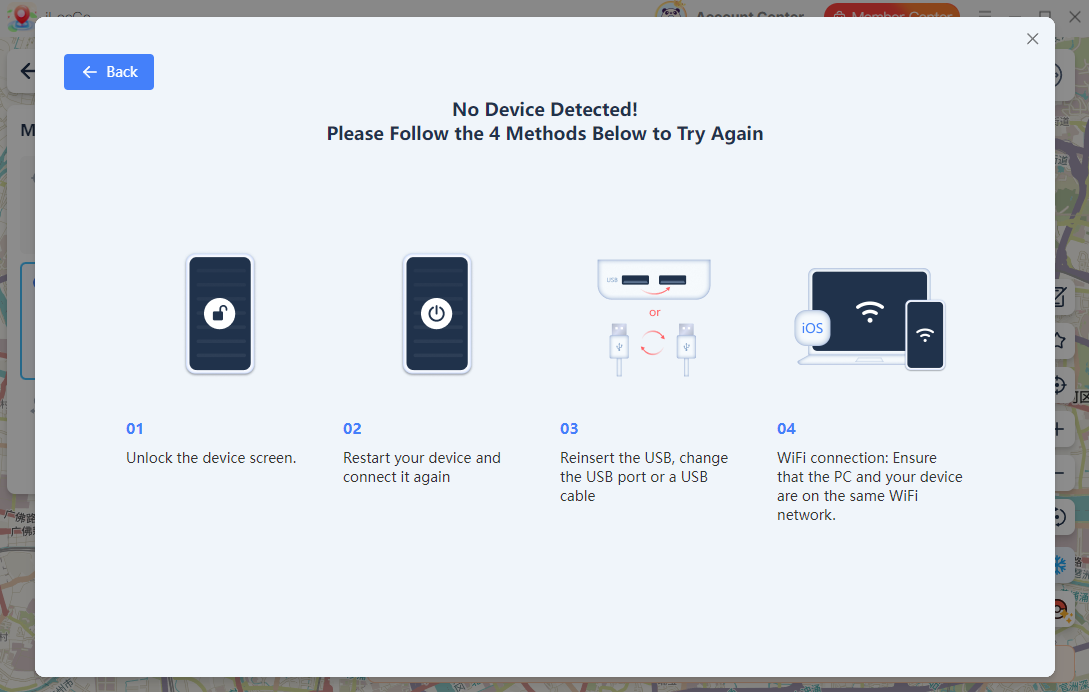
Step 1. Download and launch iLocGo on your computer. Connect your iPhone or Android device to the computer by following the on-screen instructions.
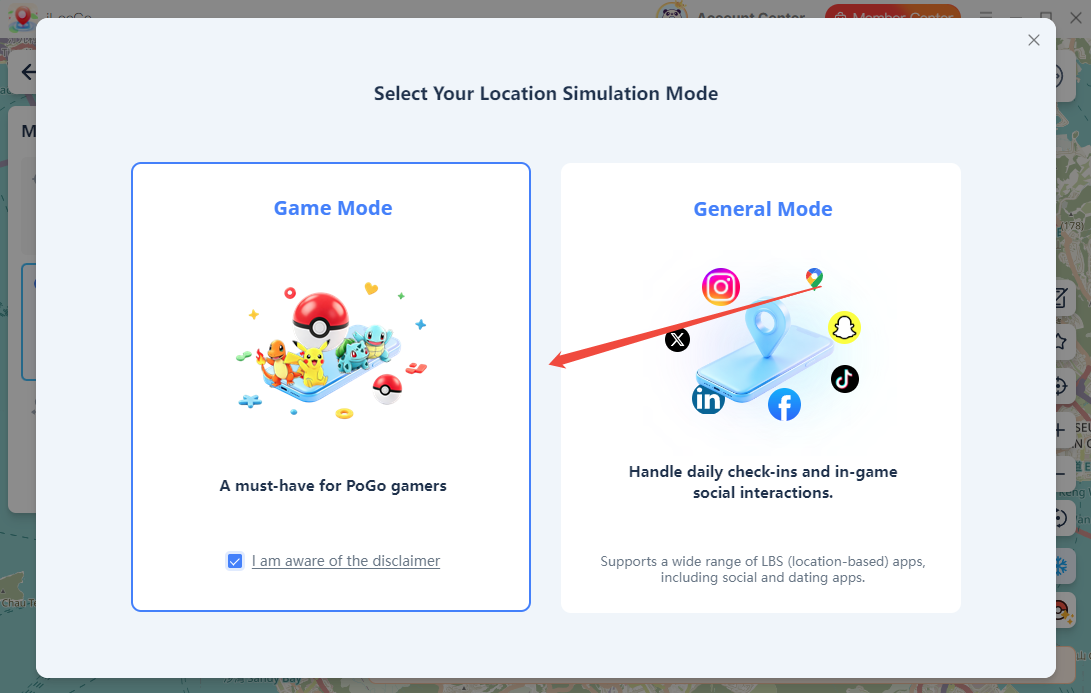
Step 2. Once connected successfully, a “Location Simulation Mode” window will appear. Check the box “I am aware of the disclaimer” and tap to proceed to unlock more features for Pokémon GO and ensure safer usage.
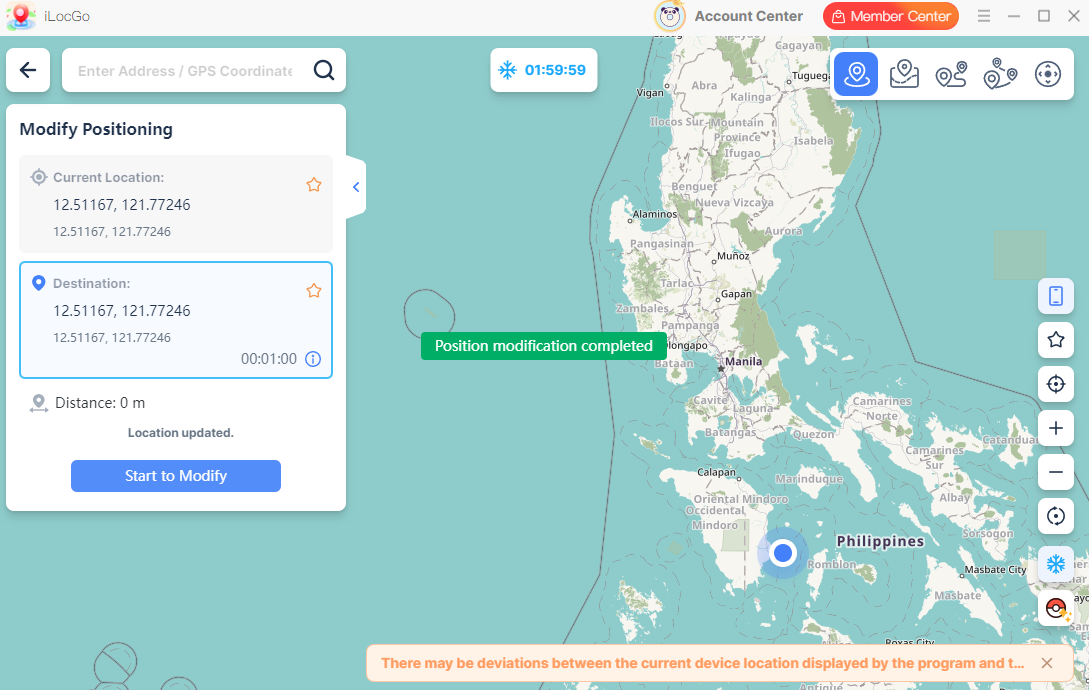
Step 3. Enable the cooldown countdown, choose the location you want to move to, and click the “Start to Modify” button to confirm the location change.
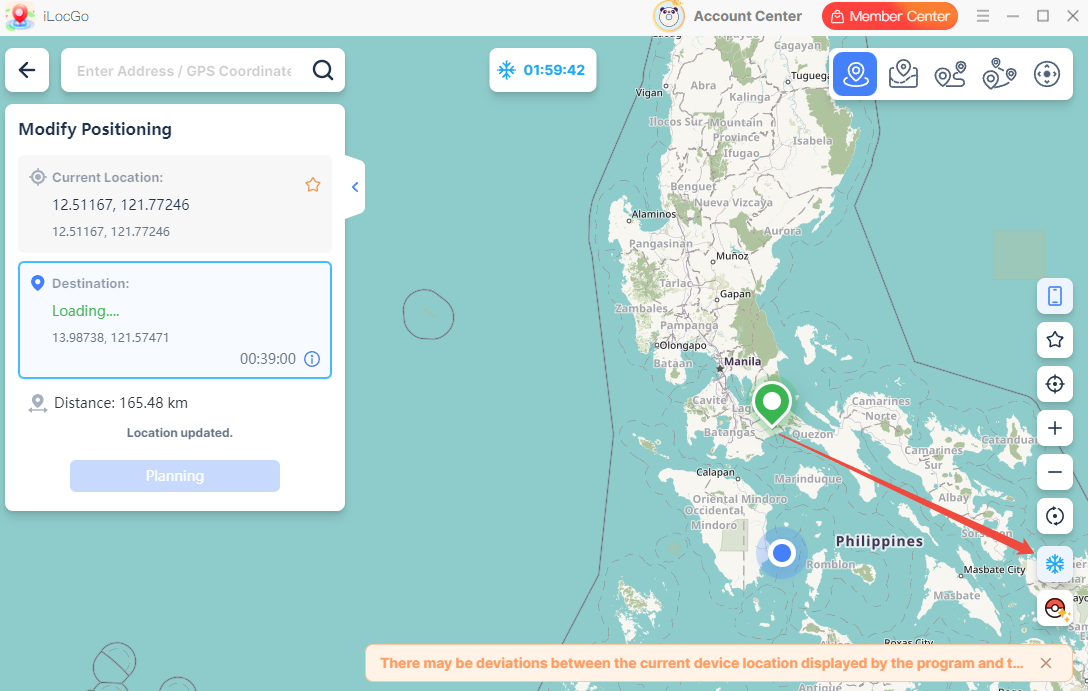
Step 4. After changing your location, iLocGo will display an estimated cooldown timer based on the distance traveled. Wait until the countdown ends before performing actions such as catching Pokémon, spinning PokéStops, or joining raids.
Tips for Using Location Changes More Carefully
To reduce the risk of abnormal gameplay behavior, keep these points in mind:
Do not perform location-based actions immediately after a long-distance location change.
Check the cooldown timer before catching Pokémon or spinning PokéStops.
Avoid repeatedly switching between distant locations within a short period.
Use route-based movement when you want to simulate movement between nearby places.
Do not assume that any third-party tool can guarantee account safety.
Always follow the official Pokémon GO rules and Terms of Service.
Conclusion
Pokémon GO cooldown time is an important consideration when changing locations over long distances. The key is to avoid performing location-based actions too quickly after moving from one place to another. With iLocGo’s cooldown timer, you can better understand the estimated waiting time after a location change and plan your next in-game actions more carefully. Try iLocGo to manage your location changes and track cooldown time with greater clarity.