










































How to Fix Easy Anti-Cheat Not Installed Error on Windows
- Support
- Software Tutorials
- Kate
 1032
1032- 2026-03-10 18:25:32


Some players may see the “Easy Anti-Cheat Not Installed” error when trying to launch a game on Windows. This usually happens if the EAC service isn’t installed properly, the configuration file is missing, or your antivirus accidentally removed a file. Don’t worry, this guide will show you a quick and easy way to reinstall EAC and get back to gaming.
What is Easy Anti-Cheat?
Easy Anti-Cheat (EAC) is a security tool designed to prevent cheating in online multiplayer games. Many popular games like Fortnite, Apex Legends, and Dead by Daylight rely on EAC to ensure fair play. When EAC fails to install or load, the game cannot start, and you may encounter the Easy Anti-Cheat not installed message. This can happen due to:
Missing or corrupted EAC files
Conflicts with antivirus software
Issues with Windows services or permissions
Game installation errors
Reinstall Easy Anti-Cheat Manually
In many cases, the error occurs because the EAC service was not installed correctly. Reinstalling it manually often solves the problem.
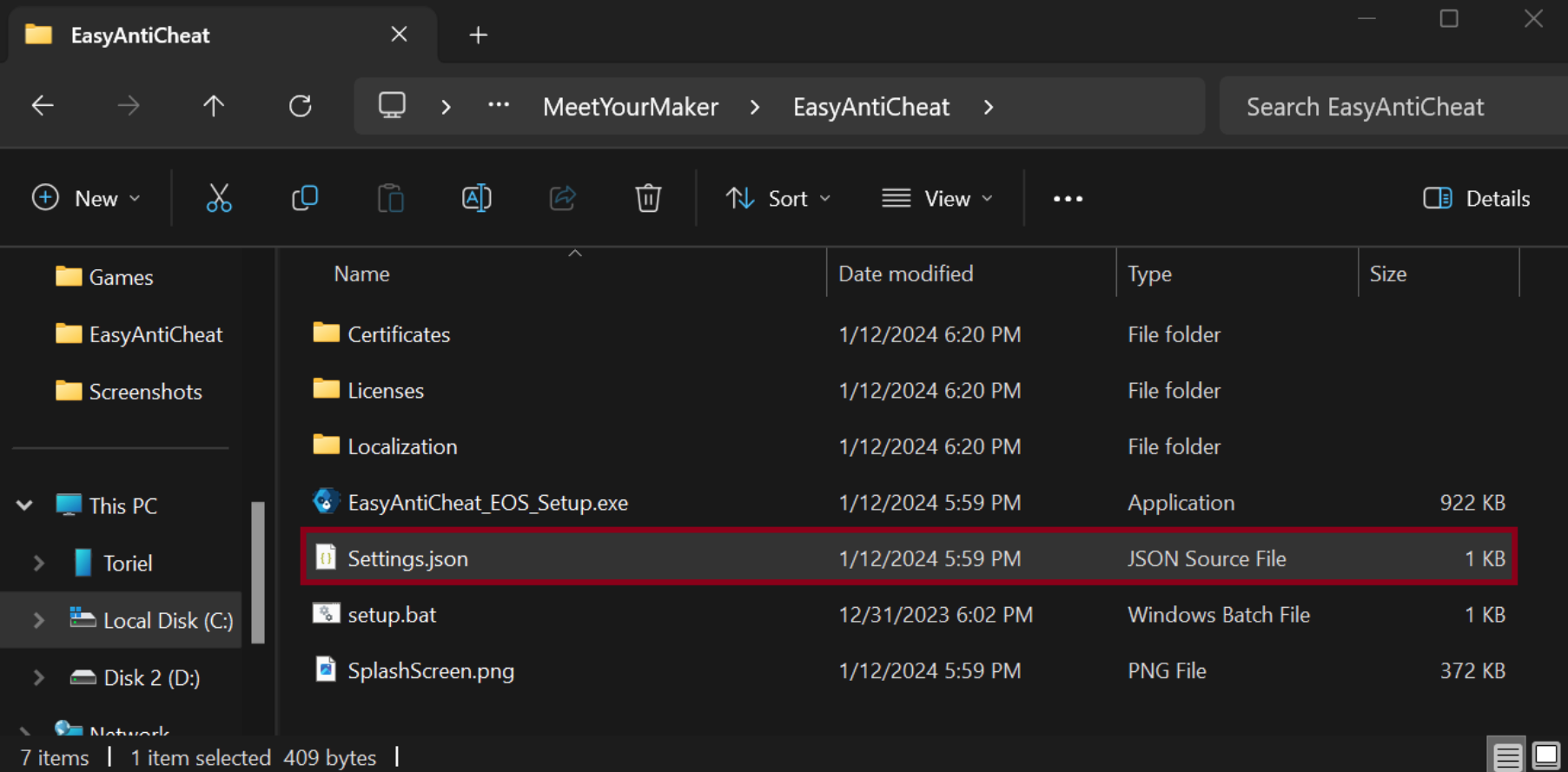
Step 1. Locate the game’s root directory. Then open the following folder: Game Folder -> EasyAntiCheat. Inside the folder, find the file: Settings.json.
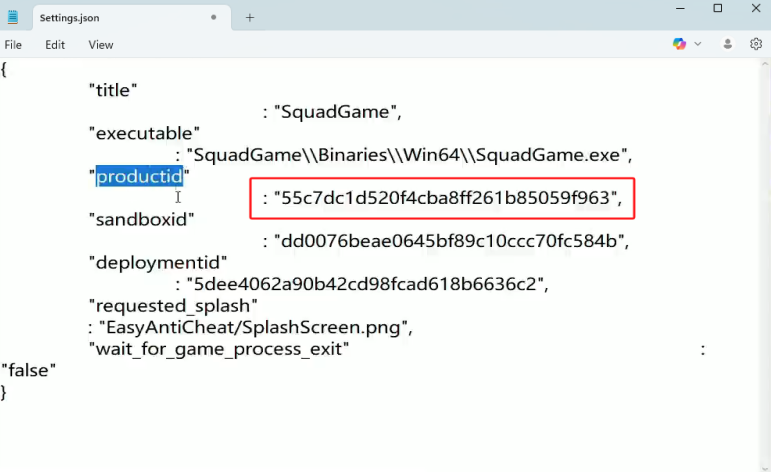
Step 2. Open Settings.json using Notepad. Look for the line containing: productid. Copy the productid value. Each game or installation has a different ID.
Step 3. Open Notepad and enter the following command: easyanticheat_eos_setup.exe install +productid. Replace “productid” with the value you copied earlier.
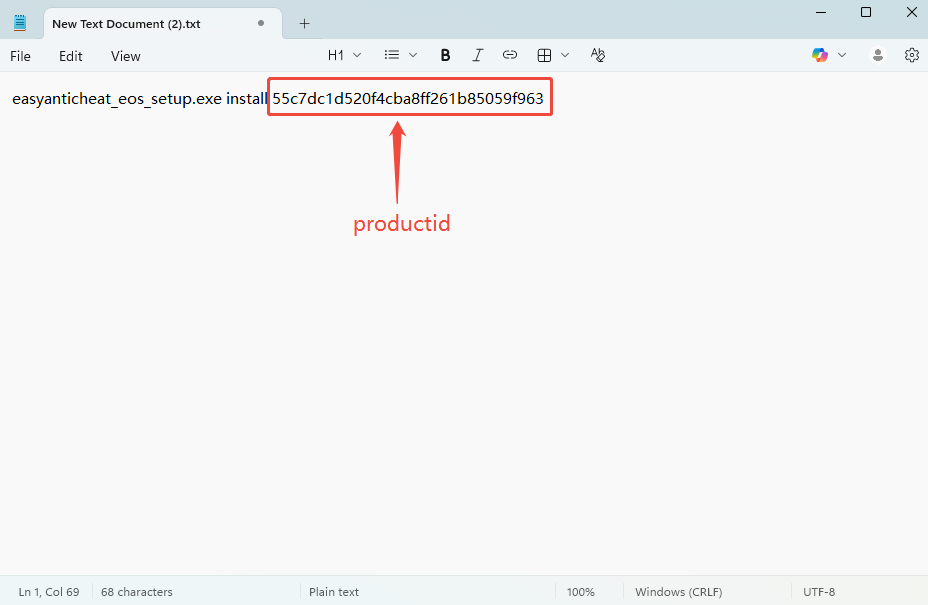
Step 4. Save the file with the .bat extension. If you cannot see file extensions, enable “File name extensions” in Windows Explorer.
Step 5. Once finished, double-click the .bat file you created. This command will reinstall Easy Anti-Cheat, which usually resolves the error.
Final Thoughts
Do you know how to fix the Easy Anti-Cheat Not Installed error on Windows now? You can try the method introduced in this article to repair or reinstall Easy Anti-Cheat and get your game running again. Manually reinstalling Easy Anti-Cheat using the command script is one of the best ways because it directly restores the missing EAC service and resolves the error quickly.







