










































How to Fix Software Installation Error Code 2755 in Windows
- Support
- Software Tutorials
- Kate
 335
335- 2026-03-10 18:25:55


Are you getting installation error 2755 while trying to install software on Windows? This error usually occurs because the system is missing a required Installer folder in the Windows directory. Without it, the software installer cannot complete the process. Fortunately, fixing this problem is quick and straightforward.
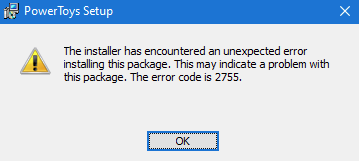
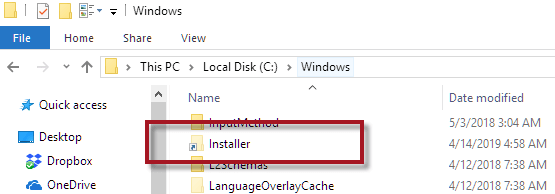
Step 1. Open C:\Windows and check if the Installer folder exists (it is hidden by default).
Step 2. If the Installer folder is missing, right-click in the folder, create a new folder, and rename it Installer.
Step 3. Restart your computer to apply the changes.
Step 4. Run the software installer again, and the installation should complete without error.
So, guys! If your Windows software installation is failing with error code 2755, just follow the steps above to create the missing Installer folder and restart your PC to get back to installing your programs smoothly. For more solutions to fix DLL errors, please pay attention to Kingshiper Software.







