










































Failed to Install the Printer Driver? Step-by-Step Guide
- Support
- Software Tutorials
- Kate
 499
499- 2026-01-28 17:44:37


Many Windows users encounter the frustrating “Failed to Install Printer Driver” message when trying to set up a printer. This issue can occur on Windows 7, 10, and 11, and often leaves users unable to print or access their printer features.
According to user reports, printer driver installation failures are frequently caused by:
Antivirus or firewall is blocking the installation
Corrupted or outdated driver files
Windows system conflicts or missing components
Incorrect installation steps
Example from a user forum:
“I downloaded the latest driver for my HP LaserJet, but the installation failed repeatedly. Disabling my antivirus temporarily finally allowed the setup to complete. It seems antivirus programs often block the driver installer.”
In this guide, we will show you how to fix printer driver installation errors in seconds.
How to Fix the Printer Driver Installation Failure?
Step 1. Launch AiPrinter Fixer. If the driver installation fails, a prompt window will appear. Click on “Driver Download Folder” to access the downloaded driver files.
Step 2. Go to the driver resource folder and locate the root directory. If the driver is compressed in a ZIP file, extract it first. Then, double-click Setup.exe to start the installation.

Step 3. Follow the installation wizard to complete setup. Restart your computer if required.
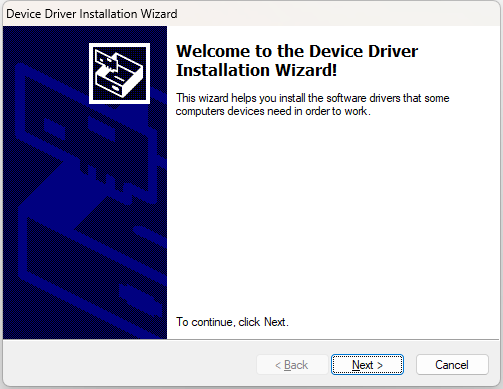
Key Tips Before Installation
Temporarily disable antivirus software before starting the installation. Re-enable it after the process is complete.
If the installation is still blocked, add AiPrinter Fixer to your antivirus whitelist.
System Compatibility: Supports Windows 7, 10, and 11.
Driver Source: All drivers are WHQL-certified by Microsoft, ensuring security and reliability.
Why Choose AiPrinter Fixer?
✅ Automatically detects 20,000+ printer models and installs the latest drivers.
✅ One-click repair for a wide range of printer issues.
✅ Provides detailed troubleshooting guides, making it easy even for beginners to fix printer problems.
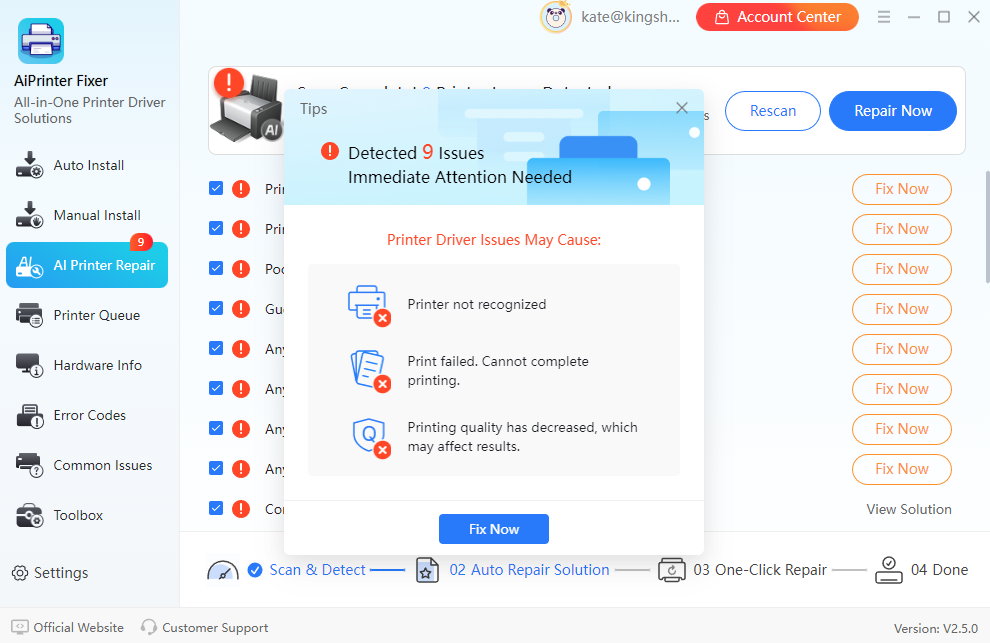
For now, a cautious approach is recommended. Users experiencing printer driver installation failures are advised to temporarily disable antivirus software, follow the installation steps outlined above, and ensure they are using compatible, up-to-date drivers. For more solutions, please pay attention to Kingshiper Software.







