










































USB Reinstall Cannot Find Working Directory in PE? Fix Now
- Support
- Software Tutorials
- Kate
 538
538- 2026-01-28 17:46:17


If your USB reinstallation fails to detect the working directory in the PE environment, it usually means your computer is not properly recognizing the USB drive. This is a common issue when performing a USB-based system reinstall, but it can be quickly fixed. Below, we will introduce three reliable solutions to get your bootable USB drive working correctly.
Fix 1. Switch USB Ports
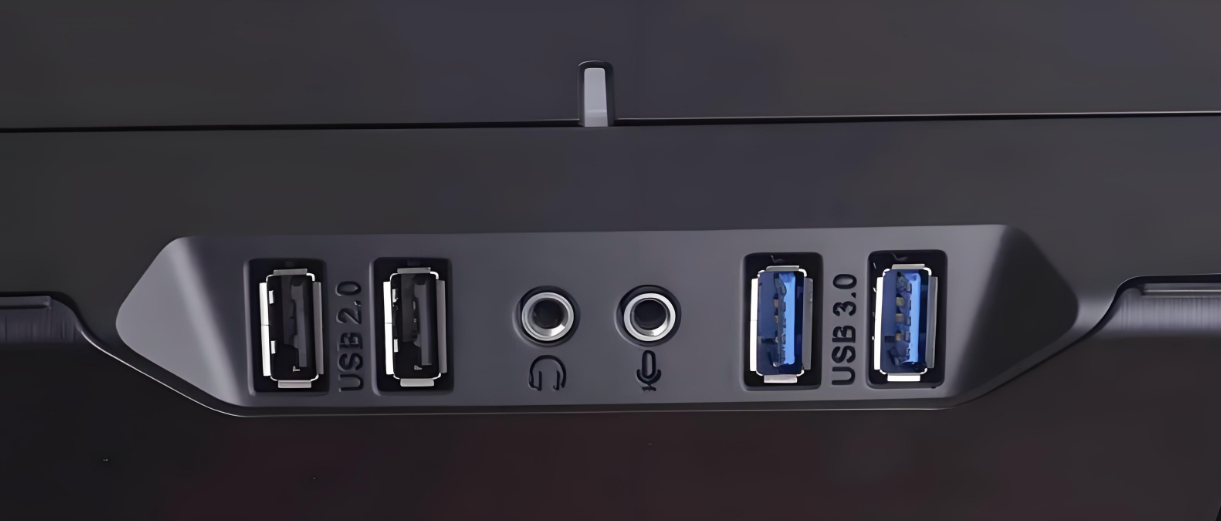
Step 1. Plug your USB installer into a different port. Prefer black USB 2.0 ports located on the back of the motherboard rather than front-panel USB 3.0 ports (usually blue), which may cause detection issues due to power or compatibility limitations.
Step 2. Make sure the USB is fully inserted and not physically damaged. If necessary, test another USB drive to rule out hardware faults.
Fix 2. Adjust BIOS Settings
Step 1. Enter your BIOS menu, go to the “Security” tab, and disable “Secure Boot Control”. Then go to the Boot menu, enable “CSM Support”, and set “UEFI/Legacy Boot” to “Legacy only” or “Legacy first”.
Step 2. In the Boot Sequence, use the arrow keys to move the USB HDD option to the top of the list. Press F10 to save the settings and then exit the BIOS.
Fix 3. Manually Assign a Drive Letter (Within PE Environment)
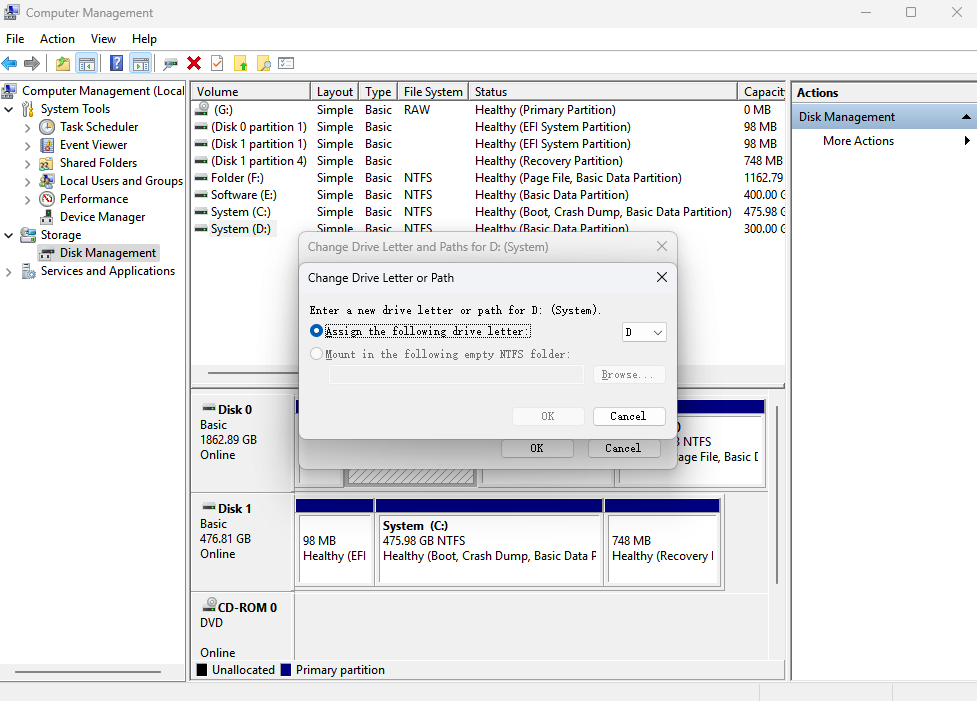
Step 1. Right-click “This PC” and select “Manage”. Then, in the pop up window about Computer Management, click on the “Disk Management”.
Step 2. Locate your USB drive, right-click its partition, and choose “Change Drive Letter and Paths”.
Step 3. Assign a new drive letter (e.g., G:).
Step 4. If the USB still does not appear, terminate the explorer.exe process and restart “File Explorer”. This often refreshes drive recognition in the PE environment.
The Bottom Line
By following the steps above, you should be able to fix the issue of your USB reinstall not detecting the working directory in PE. For more issues about system reinstallation, please pay attention to Kingshiper Software.







