






































How to Partition a Hard Drive on Your Windows
- Support
- Software Tutorials
- Kate
 1044
1044- 2026-01-28 17:47:03


Partitioning your computer’s hard drive can help you organize files efficiently, separate system files from personal data, and improve overall file management. This guide will show you how to safely partition your computer with simple steps.
Why Partition Your Hard Drive?
Partitioning divides your hard drive into separate areas, making it easier to manage and protect data. For example:
System partition – stores your operating system.
Application partition – stores software programs.
Data partition – stores documents, photos, and other personal files.
This separation reduces the risk of data loss and helps you maintain a more organized storage structure.
How to Partition Your Hard Drive?
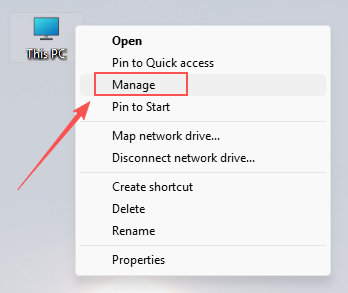
Step 1. Right-click on “This PC” on your desktop and select “Manage”.
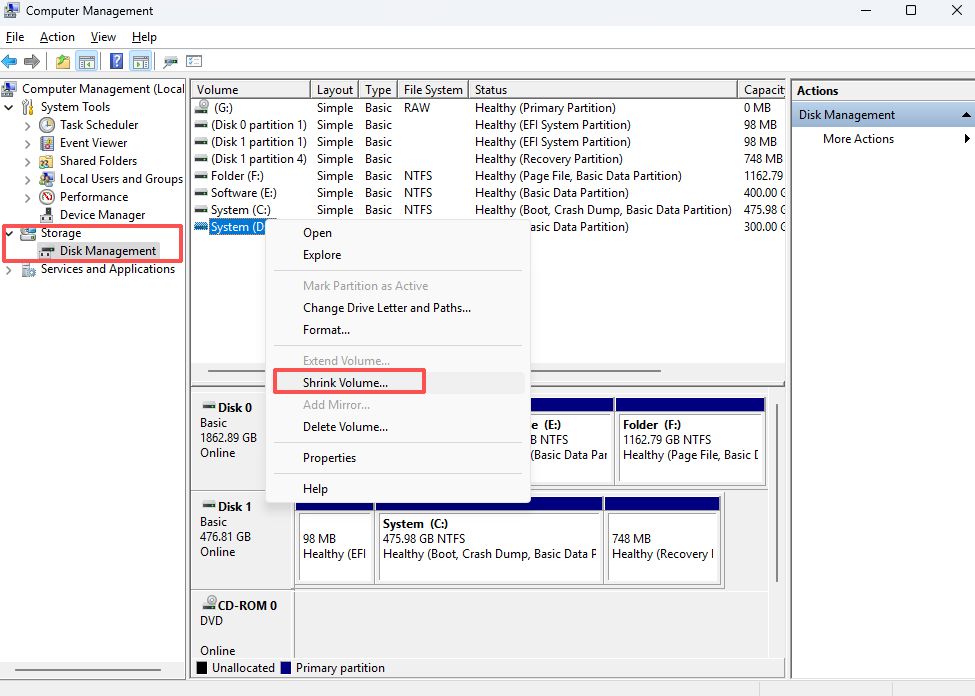
Step 2. In the pop-up window, go to “Storage” > “Disk Management”. Select the disk you want to partition, then right-click and choose “Shrink Volume”.
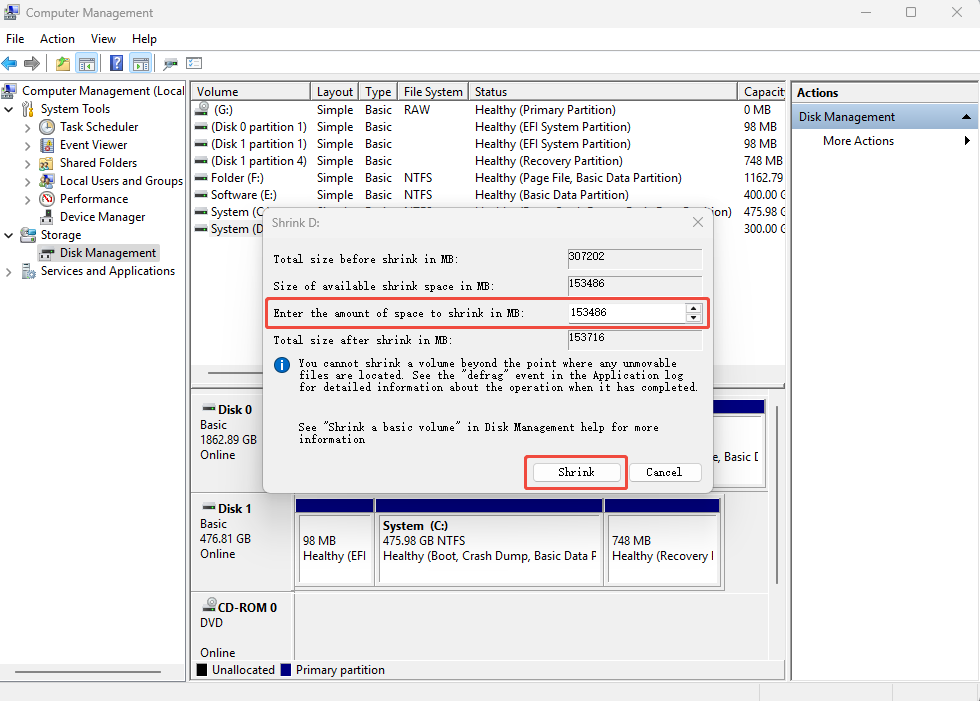
Step 3. Enter the amount of space to shrink based on your available disk space, then click “Shrink”.
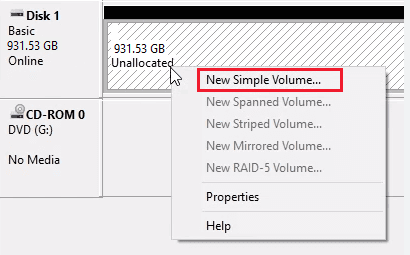
Step 4. After shrinking, the unallocated space will appear. Right-click it and select “New Simple Volume”.
Step 5. Go through the wizard step by step, clicking “Next” until the setup is complete.
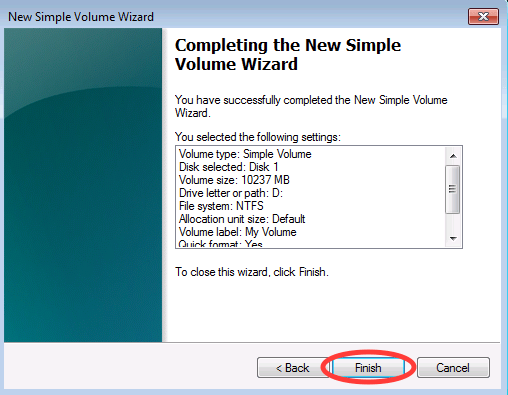
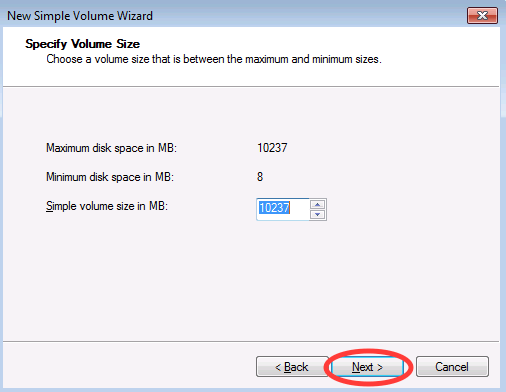
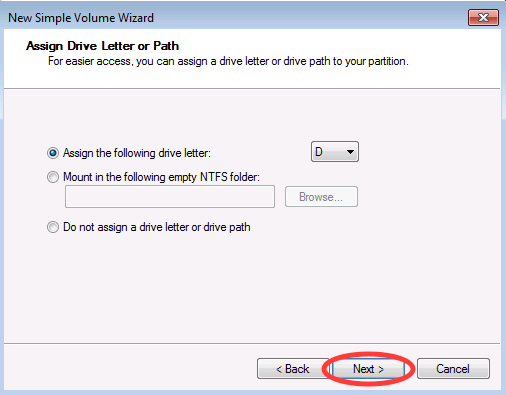
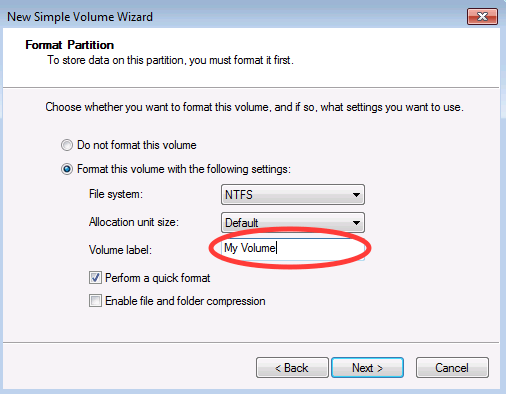
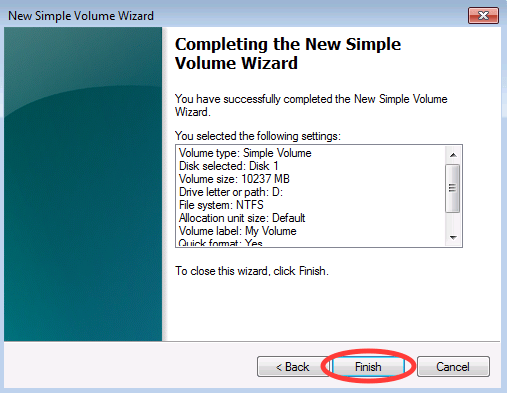
Step 6. Click “Finish” to complete the process. Your new partition is now ready to use.
Important Notes About Disk Partition
A) System Reinstallation Requirements for Copilot ReWin11
If you plan to use Copilot ReWin11, ensure:
Partition has more than 8 GB of free space
The file system is an NTFS file system
BitLocker encryption is turned off
B) Backup Data First: Always back up important files before partitioning. Shrinking or creating partitions may result in data loss if not done carefully.
C) Allocate Space Wisely: Consider the purpose of each partition and divide disk space accordingly. System partitions usually require more space, while data partitions can vary depending on your needs.
D) Regular Maintenance: Check partitions periodically to ensure sufficient space and maintain the health of your hard drive.







