










































How to Fix VC++ Runtime Installation Errors
- Support
- Software Tutorials
- Kate
 1202
1202- 2026-03-10 18:28:46


Are you seeing errors while installing the VC++ runtime on your Windows PC? Don’t worry, this is a common issue, and it usually happens due to permission problems or conflicts with older VC++ libraries. In this guide, we’ll show you exactly how to fix VC++ runtime installation errors quickly and safely.
What is VC++ Runtime and Why It’s Important?
The Visual C++ (VC++) runtime is a set of files required to run applications built with Microsoft Visual C++. Many popular programs, games, and utilities rely on these runtime libraries. If your VC++ runtime is missing or corrupted, apps may fail to start, or installation errors may appear.
Common error messages include:
“VC++ Runtime installation failed.”
“Access denied during VC++ installation.”
“A previous version of VC++ runtime is causing conflicts.”
How to Fix VC++ Runtime Installation Errors
Step 1. Right-click the VC++ installer and select Run as administrator to avoid permission errors that can block installation.
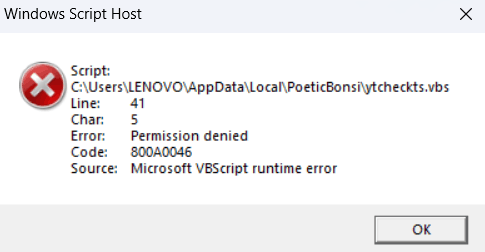
Step 2. Accept the license agreement, click “Next”, and let the installer complete. Click “Finish” when done.
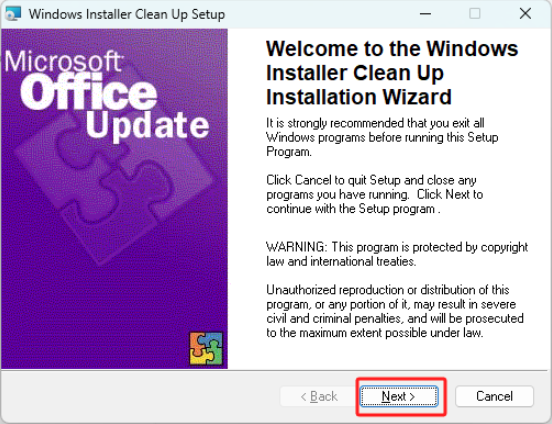
Step 3. Use the “Windows Installer Clean Up” to select and remove old or problematic VC++ libraries that may conflict with the new installation.
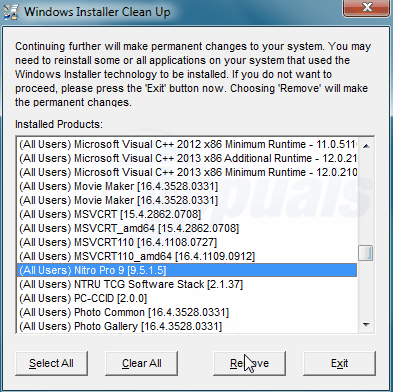
Step 4. After the cleanup, run the installer again to install the latest version without issues. That’s all.
The Bottom Line
VC++ runtime installation errors are often caused by permission issues or conflicts with existing libraries. To address the problem, you should run the installer as an administrator, follow the standard installation steps, and use the Windows Installer Clean Up tool to remove any problematic versions. It is also recommended to restart the PC and ensure Windows updates are applied. For more VC++ Runtime repair solutions, please pay attention to Kingshiper Software.







