Got it

AiRecover Data Recovery

[HOT] AiRecover Data Recovery

Recover Deleted Videos
in Minutes

  • Recover deleted or lost videos from 1 million+ devices & storage types
  • AI deep scan and repair for corrupted MP4, MAOV, AVI, MKV & 4K/8K videos
  • Recover permanently deleted videos from SD cards, cameras, phones, USB drives, and cloud storage
  • Advanced algorithms ensure up to 99.8% recovery success rate
For Windows 7/8/10/11 100% Secure 4.8 / 5 Rating
airecover-deleted-recovery
download-image
5M+ Downloads
user-image
150+ Countries Served
recovery-rate-image
99.8% Recovery Rate
date-image
10+ Years Industry Experience

Deleted Video Recovery for All Loss Scenarios

No matter how your videos are lost, AiRecover helps you recover deleted or lost videos quickly and safely. From accidental deletion to formatting or system crashes, it works across all devices and situations.

accidental-deletion

Accidental Deletion

Important clips are removed by mistake during cleanup, batch actions, or simple misclicks.

formatted-drive

Formatted Drive

Videos are erased after formatting an SD card, USB drive, camera card, or hard disk.

system-crash

System Crash

A sudden crash, failed update, or shutdown causes videos to disappear unexpectedly.

virus-attack

Virus Attack

Videos are deleted, hidden, or encrypted by malware or virus attacks.

emptied-recycle-bin

Emptied Recycle Bin

Videos permanently removed after emptying the Recycle Bin or Trash, bypassing normal recovery paths.

partition-loss

Partition Loss

Entire disk partitions become inaccessible or disappear due to partition table corruption or repartitioning.

transfer-interruption

Transfer Interruption

Videos lost or corrupted during file transfers between devices due to disconnection or power failure.

corrupted-storage

Corrupted Storage

Videos become unreadable due to bad sectors, storage device degradation, or file system corruption.

AiRecover, Your One-stop Video Recovery Expert

Advanced AI technology combined with powerful scanning algorithms ensures the highest video recovery success rate.

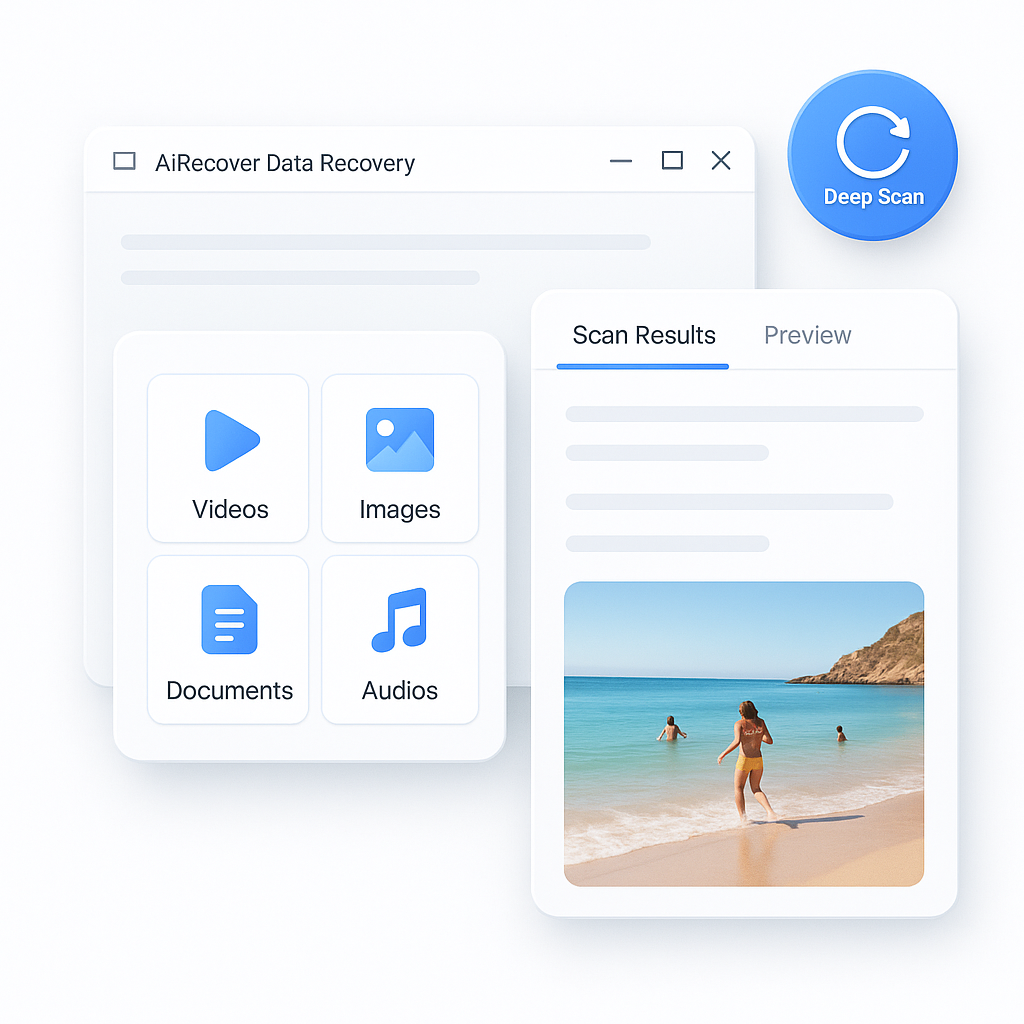
AI-Powered Deep Scan & Video Recovery

Stop worrying about permanently lost footage. AiRecover's AI engine scans storage at the binary level, intelligently detecting and reconstructing deleted video fragments - even from severely damaged drives.

  • Intelligent Fragment Detection: AI identifies scattered video data blocks across disk sectors and reassembles them automatically.
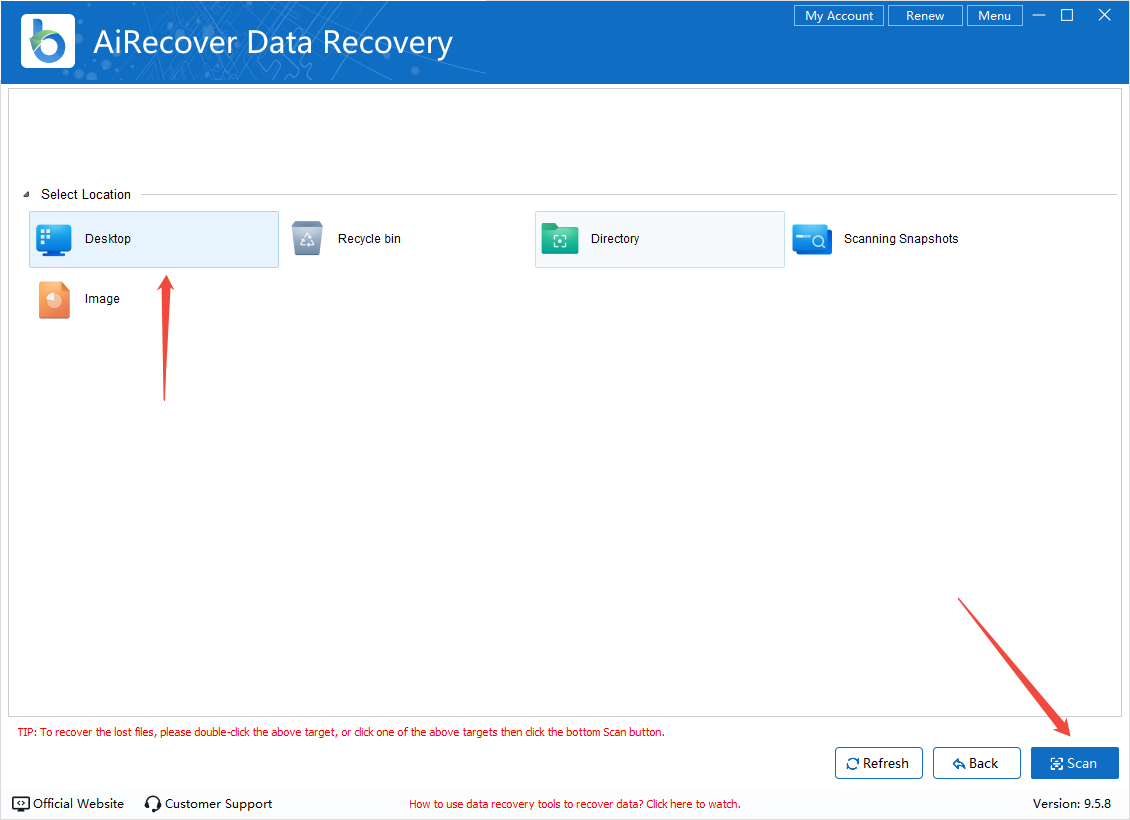
  • One-Click Smart Scanning: Simply select the drive and click "Scan" - no technical knowledge required to recover deleted MP4, MOV, or other videos.
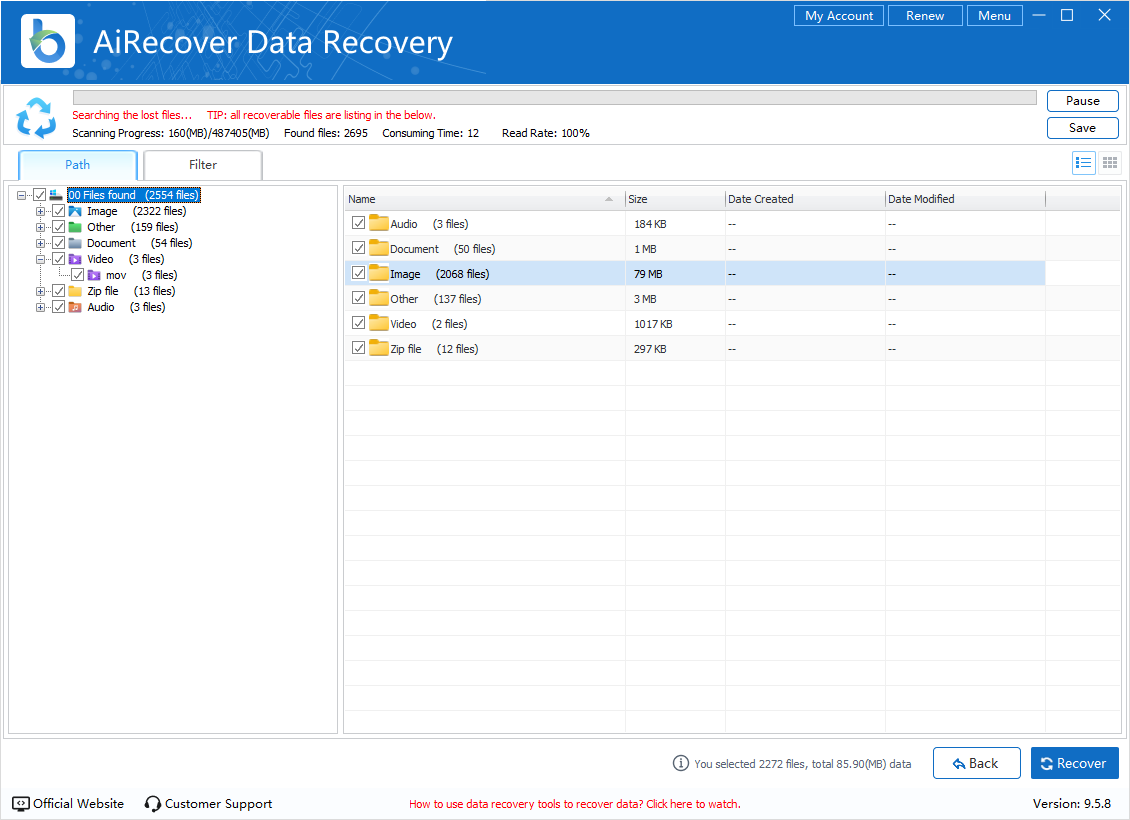
  • Real-Time Scan Progress: Monitor discovered files in real-time with live file count, type breakdown, and estimated completion time.
ai-powered-deep-scan-videos

Preview Videos Before Recovery

Don't recover blindly. AiRecover Data Recovery lets you preview every found video in full quality before restoring, so you only recover exactly what you need, saving time and storage space.

  • Thumbnail & Playback Preview: View video thumbnails and play back recoverable clips directly within the app before saving.
  • File Info at a Glance: See resolution, duration, codec, file size, and recovery probability for each detected video file.
  • Selective Batch Recovery: Check only the videos you want, then batch-recover them to any destination with one click.
preview-videos-before-recovery

100% Safe, Lossless Video Recovery

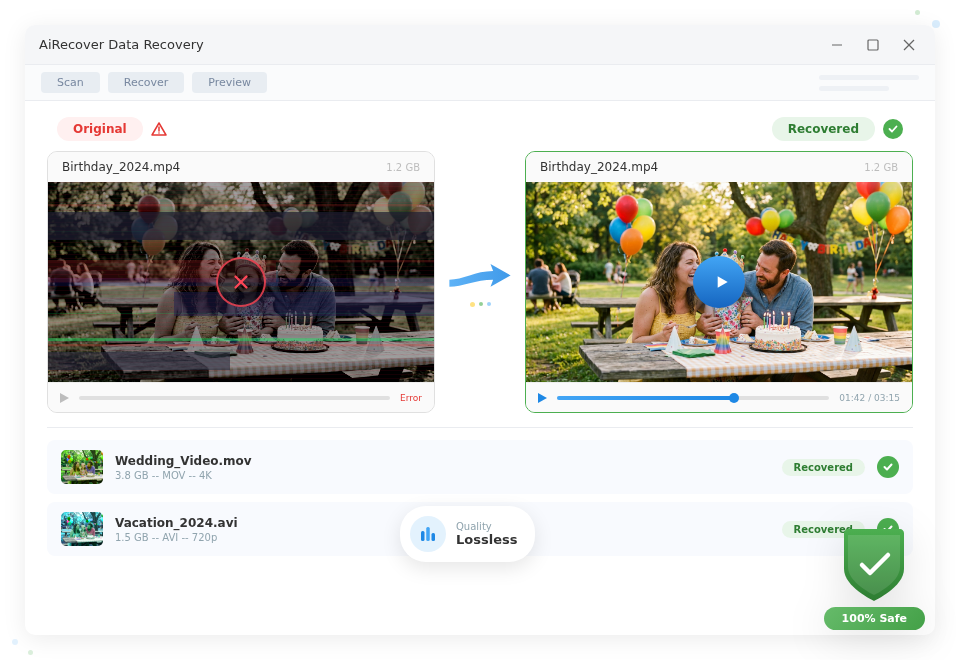
Unlike cloud-based tools that risk data leaks, this powerful data recovery software processes everything locally on your computer. Your deleted videos are recovered with zero quality loss, preserving every pixel, every frame.

  • Read-Only Scanning: AiRecover never writes to the source drive, ensuring zero risk of overwriting your remaining data.
  • Original Quality Preserved: Recovered videos maintain their original resolution, bitrate, codec, and metadata, from 720p to 8K.
  • Local Processing Only: All scanning and recovery happen on your Windows PC. No files are uploaded to any server, keeping your privacy fully protected.
lossless-video-recovery
Try it Free Upgrade to Pro

Recover Deleted Videos in All Formats

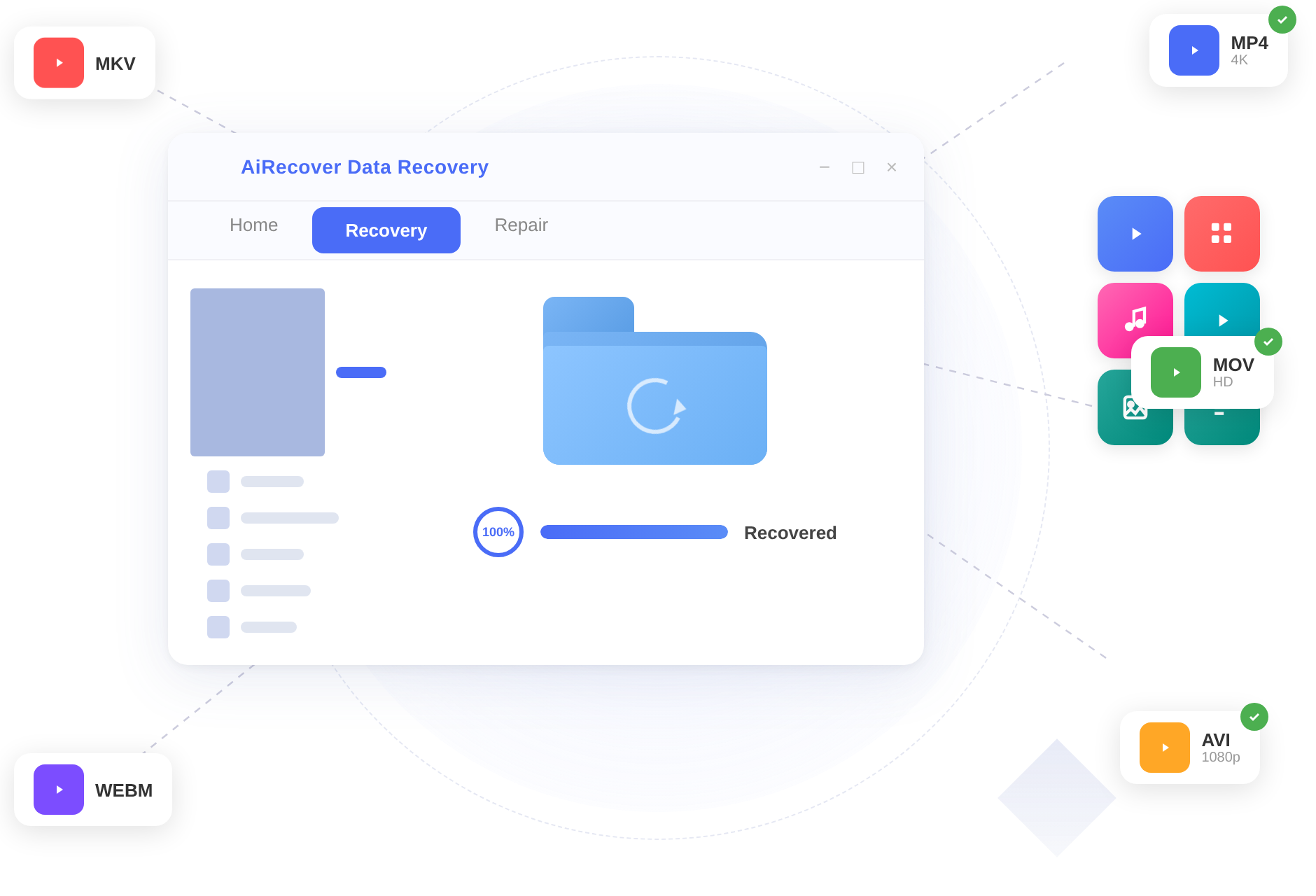
No format limitations. Recover deleted videos in MP4, MOV, AVI, MKV, and many other formats with ease.

Common Video Formats

MP4AVIMOVMKVWMVFLVWEBMMPEG

Professional Formats

AVCHDMTSM2TSProResDNxHDR3DBRAW

Mobile & Camera Formats

3GP3G2HEVCH.264H.265VOBTSM4V
recover-any-videos-formats

Recover Deleted Videos from Any Device

Easily recover deleted videos from any device, including hard drives, memory cards, and mobile devices, no matter how the data was lost.

pc-laptop

PC / Laptop

Recover deleted videos from Windows PC, including HDD, SSD, and internal drives from brands like Dell, HP, Lenovo, Apple, and more.

external-drive

External Drive

Recover deleted videos from external hard drives including WD, Seagate, Samsung, SanDisk, and LaCie.

sd-memory-card

SD / Memory Card

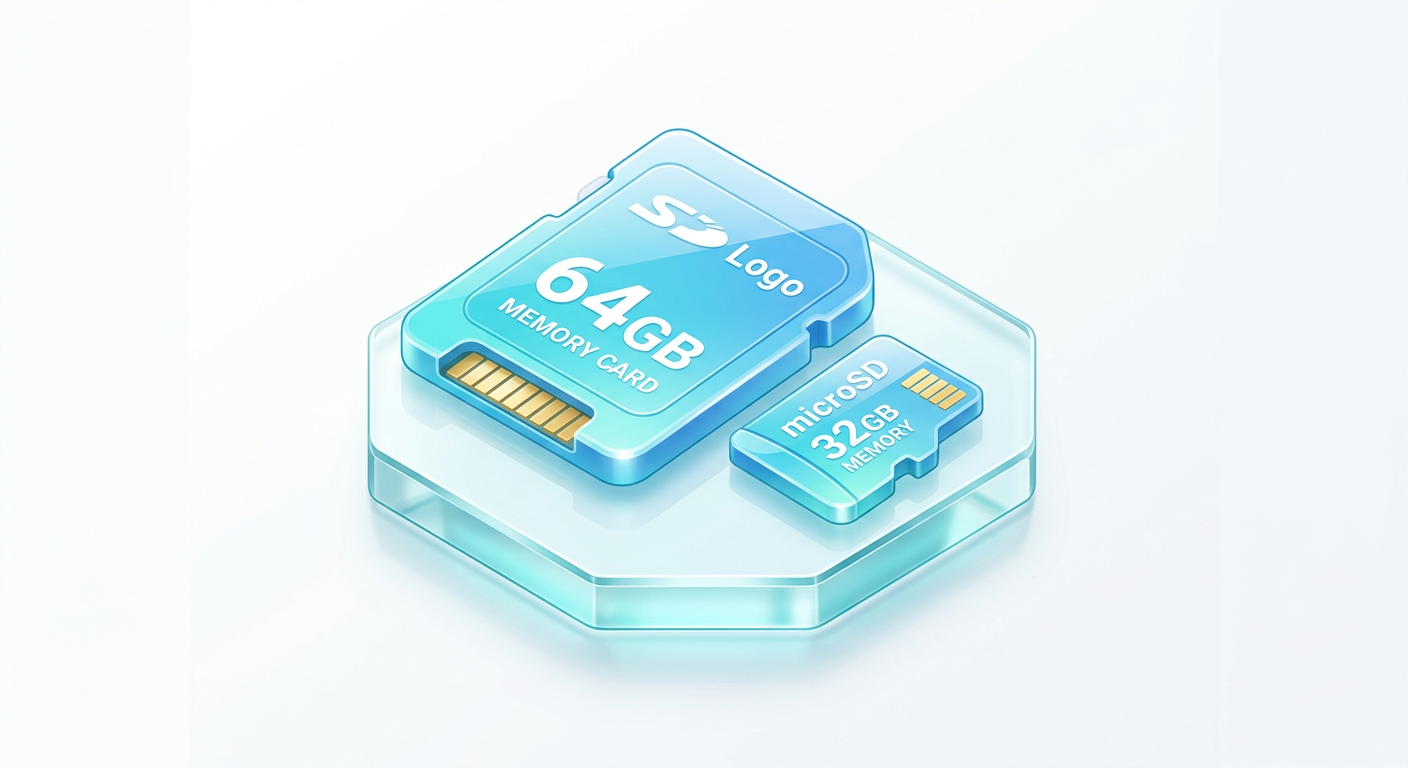
Recover deleted videos from memory cards like SD, microSD, CF, MMC, and xD cards

camera-camcorder

Camera / Camcorder

Recover videos from DSLR cameras, GoPro, DJI drones, dashcams, security cameras, and camcorders.

usb-flash-drives

USB Flash Drives

Recover permanently deleted videos from USB flash drives, pen drives, and memory sticks.

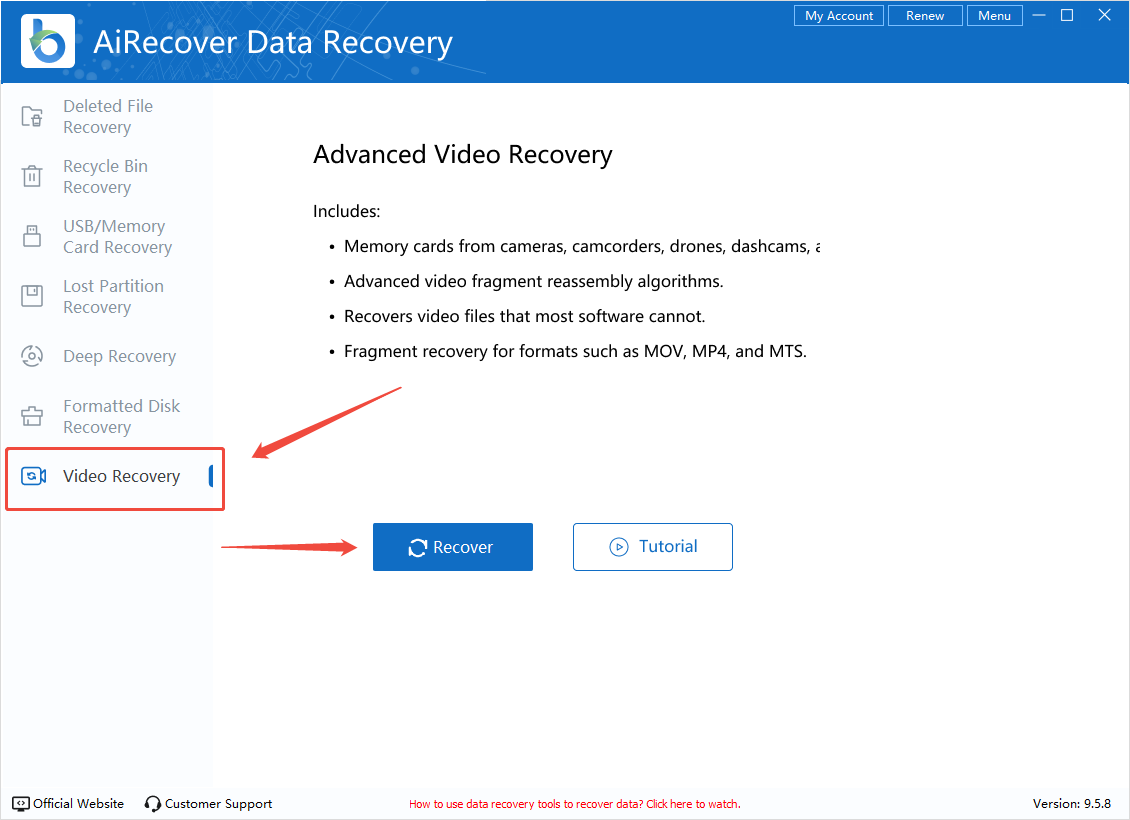
How to Recover Permentanly Deleted Videos in 3 Steps

Recover your lost or corrupted videos in just minutes with simple steps and professional results.

Try it Free Upgrade to Pro

AiRecover vs Other Video Recovery Tools

See why AiRecover is the preferred choice for recovering deleted videos.

Features
recuvaRecuva
disk-drillDisk Drill
Download Now
Other Professional
Recovery Software
Recovery Success Rate 72% 85% 99.8% 80-90%
Time Required 30-60 min 15-45 min 5-10 min 15-30 min
AI-Powered Video Recovery
Video Preview Before Recovery
Deep Scan for Deleted Videos
1000+ Format Support
Fragmented Video Reconstruction
Free Scan & Preview

Trusted by Millions to Recover Deleted Videos

See what our users say about recovering their precious video files with AiRecover.

★★★★★

I accidentally deleted my wedding videos from my SD card. AiRecover found and recovered all 47 video files in perfect quality. Absolute lifesaver!

sarah-mitchell
Sarah Mitchell Photographer, USA
★★★★★

After formatting my external drive by mistake, I thought my GoPro footage was gone forever. AiRecover's deep scan recovered deleted videos I thought were impossible to retrieve.

james-cooper
James Cooper Content Creator, UK
★★★★★

The video preview feature is amazing. I could see exactly which deleted videos were recoverable before committing. Recovered 2 years of family memories!

linda-chen
Linda Chen Home User, Canada

Frequently Asked Questions About
Recovering Deleted Videos

Can AiRecover really recover permanently deleted videos?
Yes! When you delete a video, the data remains on the storage device until it is overwritten by new data. AiRecover's AI-powered deep scan technology can locate and reconstruct deleted video files at the binary level, even after they have been removed from the Recycle Bin. For the best results, stop using the device immediately after noticing the deletion and run AiRecover as soon as possible.
What video formats can AiRecover recover?
AiRecover supports recovery of virtually all video formats including MP4, AVI, MOV, MKV, WMV, FLV, MPEG, 3GP, WEBM, AVCHD, MTS, M2TS, H.264, H.265/HEVC, ProRes, and many more. In total, AiRecover can recover over 1000 file types across videos, photos, documents, and other file categories.
How long does it take to recover deleted videos?
Recovery time depends on the storage size and the number of deleted files. A Quick Scan typically completes in 1-5 minutes. A Deep Scan may take 10-30 minutes for a standard drive. AiRecover's optimized algorithms make it up to 10x faster than traditional recovery tools, and you can preview found videos during the scan without waiting for it to complete.
Is it safe to use AiRecover? Will it damage my data?
Absolutely safe. AiRecover operates in read-only mode during scanning, meaning it never writes to or modifies the source drive. This ensures your existing data remains completely untouched. Recovered files are saved to a separate location of your choice. AiRecover is trusted by over 5 million users worldwide.
Can I recover deleted videos from a formatted SD card or USB drive?
Yes! AiRecover Data Recovery excels at recovering deleted videos from formatted storage devices. Even after a quick format or full format, the video data fragments often remain on the drive. AiRecover's Deep Scan and specialized Video Recovery mode can locate these fragments and reconstruct your video files. This works for SD cards, USB drives, external hard drives, and internal drives.
AiRecover Logo AiRecover Data Recovery

All-in-one solution for deleted video recovery, repair and restoration

Recover Videos Now Buy Now