Full List of the 5 Best MakeMKV Alternatives in 2025
✅ Quick Answer for Best Alternatives to MakeMKV:
● Best All-in-One Ripping & Burning: TopBurn AI - Combines AI-powered DVD ripping and disc burning in a single, modern tool. Extremely user-friendly and outputs universal MP4 format, ideal for users who want a simple, efficient solution.
● Best Free & Open-Source Transcoder: HandBrake - A cross-platform, completely free tool with rich device presets and powerful compression. Perfect for advanced users converting discs to mobile-friendly formats.
● Best Classic DVD Backup: DVD Shrink - Legendary software for older DVDs, offering fast compression and lossless backups with minimal system resources. Ideal for preserving legacy disc collections.
● Best Multi-Function Media Suite: PepSky All-In-One - An all-in-one media toolkit covering ripping, conversion, and burning. Handles all backup and format conversion needs without installing multiple programs.
● Best Ultra-Fast Hardware-Accelerated Ripper: WinX DVD Ripper Platinum - Leverages advanced hardware acceleration for the fastest ripping speeds, excellent disc decryption, and repair capabilities, perfect for users handling large batches of DVDs.
Best Ultra-Fast Hardware-Accelerated Ripper: WinX DVD Ripper Platinum - Leverages advanced hardware acceleration for the fastest ripping speeds, excellent disc decryption, and repair capabilities, perfect for users handling large batches of DVDs.
About MakeMKV
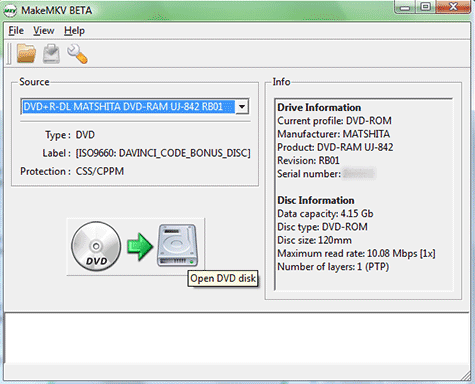
MakeMKV is a well-known DVD and Blu-ray ripping software designed for backing up physical discs into digital files. Released around 2008, it allows users to convert even encrypted DVDs and Blu-ray discs into MKV format with minimal setup. Known for its simplicity and lossless output, MakeMKV keeps the original video quality, audio tracks, and subtitles, making it a popular choice among movie collectors and home media enthusiasts.
Is MakeMKV still working, and why look for alternatives? As of 2025, MakeMKV is still available and functional. However, it has long operated under a “perpetual beta” model, which requires users to regularly update a public beta registration key to keep using Blu-ray ripping features for free. If the key expires or isn’t updated in time, the software may stop working. In addition, MakeMKV outputs very large files due to the lack of compression and only supports the MKV format, with no direct MP4 export or built-in tools for mobile-friendly playback or editing.
Whether you’re tired of constantly renewing beta keys, want smaller file sizes, or need a tool that can convert discs to MP4 for smooth playback on iPhone or Android devices, the following list includes the best MakeMKV alternatives available today.
Why Look for MakeMKV Alternatives and What to Look For
So what makes a good MakeMKV alternative? It depends on your needs, but here are the key criteria to consider:
Output Format Support - More than just MKV, with direct conversion to MP4, MOV, AVI, and other formats suitable for iPhone and Android playback.
Compression and File Size - The ability to shrink large Blu-ray discs into smaller, storage-friendly files while maintaining good quality using H.265/HEVC.
Disc Decryption Capability - Strong support for encrypted DVDs and Blu-ray discs, including newer region codes and copy protection like AACS.
Speed and Performance - Hardware acceleration support (NVIDIA, AMD, Intel QSV) to dramatically reduce long ripping and transcoding times. Custom Output Settings - Flexible control over video quality, resolution, bitrate, audio tracks, and other parameters before conversion.
Pricing and Open-Source Options - Either completely free and open source (ideal for advanced users) or a commercial solution with a more intuitive interface and reliable technical support (better for beginners).
Best MakeMKV Alternative - TopBurn AI
Works on: Windows 7/8/10/11
Price: Starts from $14.95/month
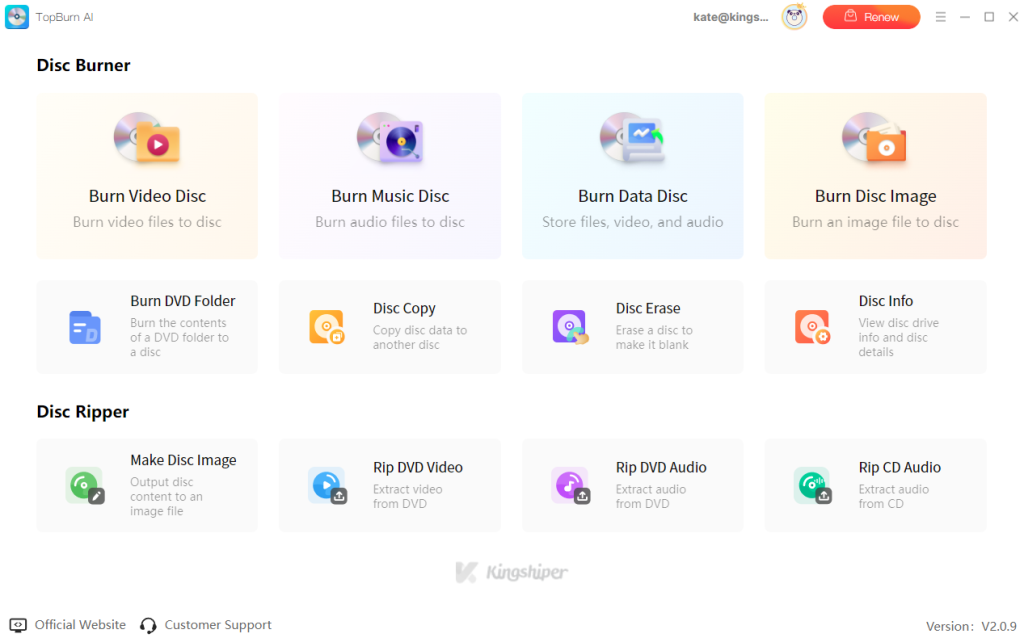
So the best alternatives to MakeMKV should not only fix its limitations but also offer more features and modern usability. TopBurn AI has become the all-in-one solution. It combines powerful DVD/CD ripping with AI-powered burning, allowing you to convert discs directly to MP4, AVI, MP3, and other widely compatible formats for easy playback on phones and other devices. Its unique AI burning engine also ensures a very high success rate when writing data or video discs, effectively achieving “zero failed disc” reliability.
TopBurn AI is designed for non-technical users. It eliminates complicated settings by using AI to automatically analyze disc structures and select the optimal ripping or burning method, so even first-time users can get started quickly.
Pros Compared with MakeMKV:
Combine the ripping and burning features in one tool
An intuitive guided interface that beginners can master quickly
Optimized read/write algorithms significantly reduce ripping and burning time
Commercial software with stable updates, maintenance, and customer support
Cons:
Only provides the Windows version.
What the Editor Says
TopBurn AI is perfect for users who want a simple, all-in-one solution. It fills the gaps left by MakeMKV in format compatibility and burning, while using AI to simplify traditional disc workflows. If you want to digitize discs, occasionally burn files back to disc, or play videos directly on mobile devices, TopBurn AI is clearly the better choice.
How to Use TopBurn AI
Rip a Disc: Insert a DVD/CD, select Rip DVD Video, Rip DVD Audio, or Rip CD Audio. Then, this DVD burning software automatically detects disc content. You can click “Rip Now” to convert it to MP4 or MP3.
Burn a Disc: From the main interface, select Burn Video or Music Disc, drag files into the window, and it will automatically arrange and intelligently burn them.
Free MakeMKV Alternative - HandBrake
Works on: Windows, macOS, Linux
Price: Free / Open Source
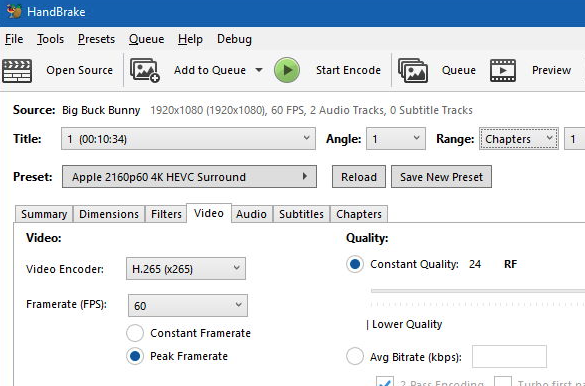
It’s hard to find a MakeMKV alternative that is totally free, since most “free” tools come with limitations or watermarks. Luckily, HandBrake is a completely free and open-source video transcoder that many MakeMKV users rely on. While it doesn’t focus on 1:1 lossless backups, it excels at compressing large disc files into smaller, more compatible formats like MP4 or MKV. It also offers dozens of optimized presets for devices such as iPhone, Android, and PlayStation.
Supports output to MP4, MKV, and WebM
Extensive built-in device presets for easy conversion
Powerful video compression and advanced quality adjustment options
Pros
Requires libdvdcss to decrypt commercial DVDs
Parameter settings can be complex for beginners
Cons
Classic Free MakeMKV Alternative - DVD Shrink
Works on: Windows XP, Vista, 7, 10/11 with tweaks
Price: Free
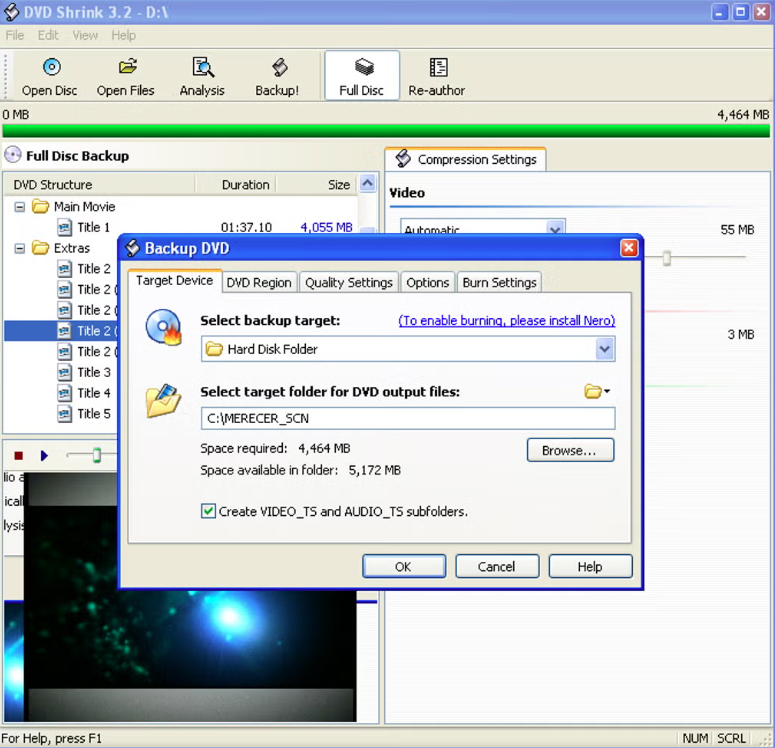
DVD Shrink is a classic free MakeMKV alternative. It’s a lightweight DVD backup and compression tool designed to help users digitize their DVD collections. This free tool supports disc decryption, re-authoring, and video compression, allowing an 8GB dual-layer DVD to be compressed down to a 4.7GB single-layer size. With its intuitive interface and low system resource usage, DVD Shrink is ideal for users looking to quickly back up old DVDs into ISO or folder formats. While it no longer receives official updates, it still runs well on Windows 10/11.
Completely free with no ads
Low system resource usage, works smoothly on older PCs
Supports video compression to save storage space
Pros
Does not support Blu-ray discs
Cannot bypass newer anti-piracy encryption
No longer maintained, no technical support
Cons
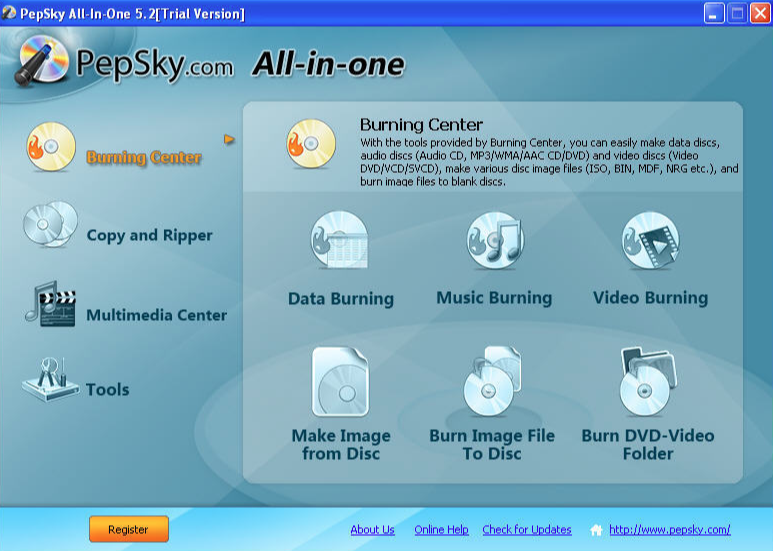
Versatile MakeMKV Alternative - PepSky All-In-One
Works on: Windows XP/Vista/7/8/10
Price: Free
PepSky All-In-One is a full-featured multimedia suite. It combines disc ripping, video conversion, and burning into one tool. Unlike MakeMKV, which focuses on MKV extraction, this free MakeMKV alternative lets users back up DVDs, convert videos to popular formats like MP4 and AVI for mobile devices, and burn discs. With its rich features, PepSky is ideal for general users who want to digitize old discs or burn videos back to discs for home theater playback, even if it’s less known among tech enthusiasts.
All-in-one tool for ripping, converting, and burning
Supports multiple popular output formats, including MP4 and AVI
Provides DVD copying and data disc burning features
Pros
The interface is outdated
Decryption of newer high-strength encrypted discs may be limited
Cons
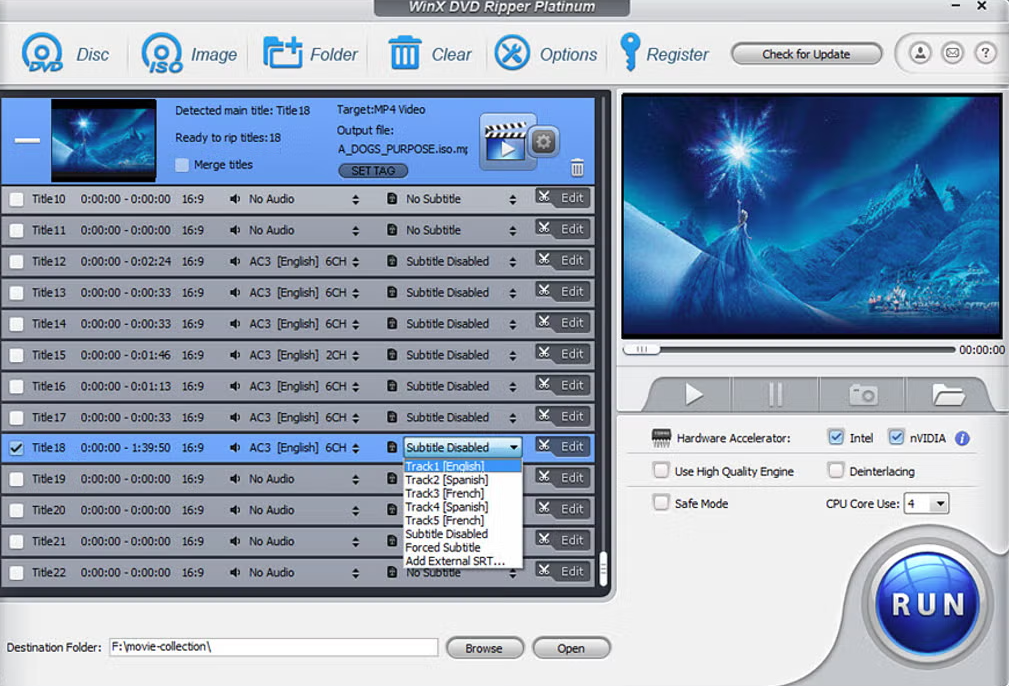
Fastest MakeMKV Alternative - WinX DVD Ripper Platinum
Works on: Windows 11, 10, 8.1, 8, 7, Vista, XP, 2003, 2000
Price: Starts at $39.95/mon
WinX DVD Ripper Platinum is a commercial DVD ripping software renowned for its speed. It fully supports triple-level hardware acceleration and comes with highly automated workflows. Unlike MakeMKV, which only outputs MKV, WinX excels at quickly converting DVDs to MP4, MOV, or other mobile-friendly formats. With 350+ built-in output presets and strong decoding capabilities, it can even handle slightly damaged or scratched discs.
Triple-level hardware acceleration for extremely fast ripping
350+ built-in output presets for MP4, MOV, and other formats
Can read and recover slightly damaged or scratched DVDs
Pros
Free trial limits video output length
The interface is outdated
Primarily focused on DVDs; Blu-ray requires an upgrade
Cons
Comparison Table Between MakeMKV Alternatives
Here’s a comparison table of the MakeMKV alternatives above to help you pick the best one for disc ripping.
Software
System
Core Features
Best Use
Compatibility
Price
TopBurn AI
Windows 7/8/10/11
AI disc ripping & burning
Rip and burn discs with AI optimization
DVD/CD, MP4, MP3, AVI, ISO
Free trial, from $29.95
HandBrake
Windows / macOS / Linux
Video transcoding & compression
Compress large DVD files to MP4/MKV
iPhone, Android, PS, TVs
Free and Open-source
DVD Shrink
Windows XP, Vista, 7, 10/11 with tweaks
DVD backup & compression
1:1 backup and shrink old DVDs
DVD ISO & folder
Free
PepSky All-In-One
Windows XP/Vista/7/8/10
Rip, convert & burn discs
All-in-one media toolbox
DVD, MP4, AVI, data discs
Free
WinX DVD Ripper
Windows 11, 10, 8.1, 8, 7, Vista, XP, 2003, 2000
Hardware-accelerated DVD ripping
Ultra-fast DVD to mobile formats
iPhone, Android, MP4
Starts at $39.95/mon
Final Thought
Get ready to upgrade your media library like never before! These MakeMKV alternatives and disc ripping software will take your disc backups, format conversions, and multi-device playback to the next level. Try them out and make your digital entertainment experience smoother, faster, and more enjoyable.
Yes, ripping discs for personal backup purposes is generally considered “fair use” and is legal. However, it becomes illegal if you use the ripped files for commercial profit, upload them online for distribution, or share them with people who haven’t purchased the original discs. Always check your local copyright laws before proceeding.
Q2: Which alternatives are best for beginners?
Tools like TopBurn AI and WinX DVD Ripper Platinum are perfect for first-time users. They offer guided workflows, one-click ripping, and preset output formats, allowing you to complete the process in minutes without dealing with complex settings.
Q3: Are there completely free MakeMKV alternatives?
Yes! There are many free DVD burning software available, such as HandBrake and DVD Shrink. While they may lack the user-friendly interface or advanced decryption features of paid software, they are ideal for everyday disc backup needs.

















 All
All




















 Windows
 win
win
 mac
mac