Finding a reliable AnyDVD alternative in 2025 can be challenging, as most disc decryption and copying software differ in compatibility, features, and performance. While AnyDVD remains well-known, users often look for more up-to-date, affordable, or feature-rich options. This guide reviews 7 of the best apps like AnyDVD, helping you choose the most suitable tool for your disc management needs.
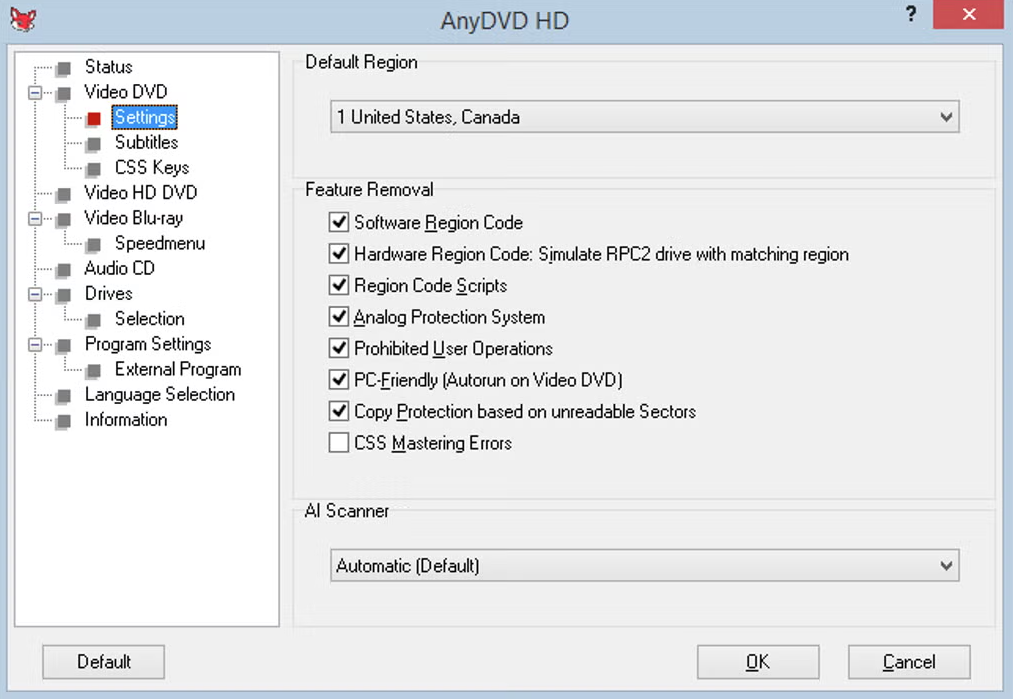
AnyDVD is a popular disc decryption application that automatically removes copy protections from DVDs and Blu-ray discs. It works on Windows, allowing users and other software to access disc content freely by bypassing encryption and region restrictions.
AnyDVD enables users to back up movies, copy discs, or play protected content on any media player. The software also provides advanced features such as removing forced subtitles, skipping FBI warnings, and adjusting screen refresh rates.
While it is widely used by movie enthusiasts and for disc backups, users may look for alternatives due to issues like the developer ceasing updates, inability to handle the latest encryption, or server connection problems. Below are the top alternatives to AnyDVD that provide similar or better functionality without these limitations.
Part 2. Best 7 AnyDVD Alternatives
1TopBurn AI (Easy)
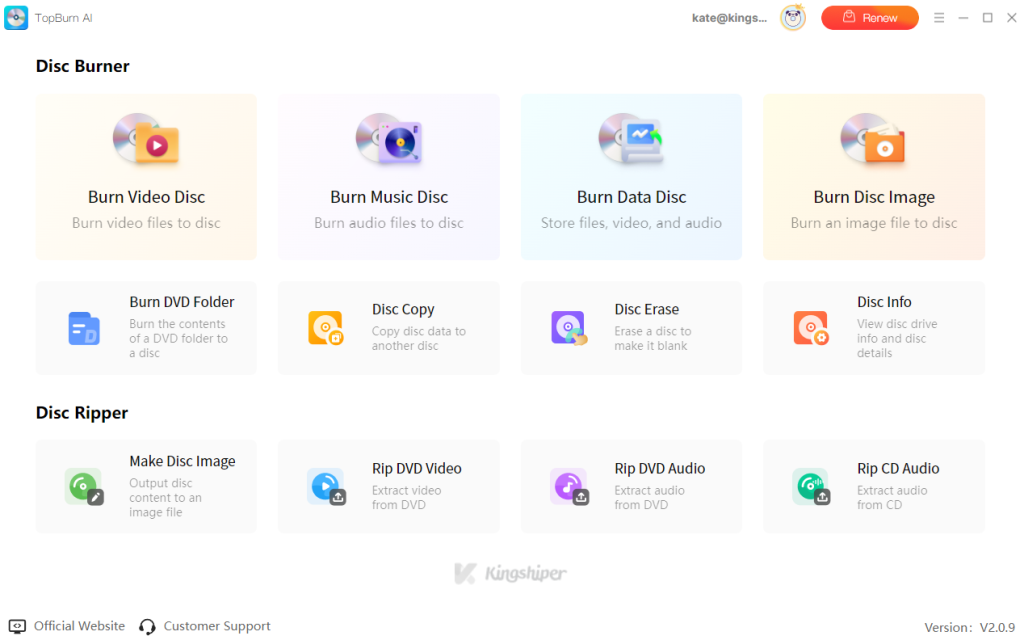
TopBurn AI is an easy-to-use and efficient AnyDVD alternative built for Windows users who want smooth, lossless DVD and CD ripping. It enables high-quality disc copying and digitization on a computer with minimal quality loss and stable performance. Designed for both personal archiving and home viewing, it supports converting DVD content into popular digital formats for easy storage.
Unlike many traditional disc tools, TopBurn AI removes complex settings and confusing workflows. It focuses on simplicity and reliability, using intelligent disc-reading technology to ensure consistent results without manual configuration. This makes it a great choice for home users, collectors, and anyone who values ease of use and data integrity.
Main features:
Clean, beginner-friendly interface with no ads or complicated options
Built for Windows, fully compatible with Windows 7/8/10/11
Supports fast reading and backup of DVD discs and ISO image files
Intelligent disc-reading technology improves compatibility with old or lightly scratched discs
1:1 lossless copying that preserves original audio tracks, subtitles, and chapter structure
Converts DVDs to digital formats such as MP4 and MKV
Extremely easy to use, ideal for beginners
Stable performance with excellent Windows compatibility
Fast ripping speeds with full quality retention
Lightweight and quick to install
Pros
Windows-only, no macOS support
Does not support Blu-ray discs
Cons
How to Rip DVD or CD with AnyDVD Alternative:
Step 1. Download and install TopBurn AI on your Windows PC.
Step 2. Insert a DVD disc into your optical drive, launch the program, and choose the feature you want to use.
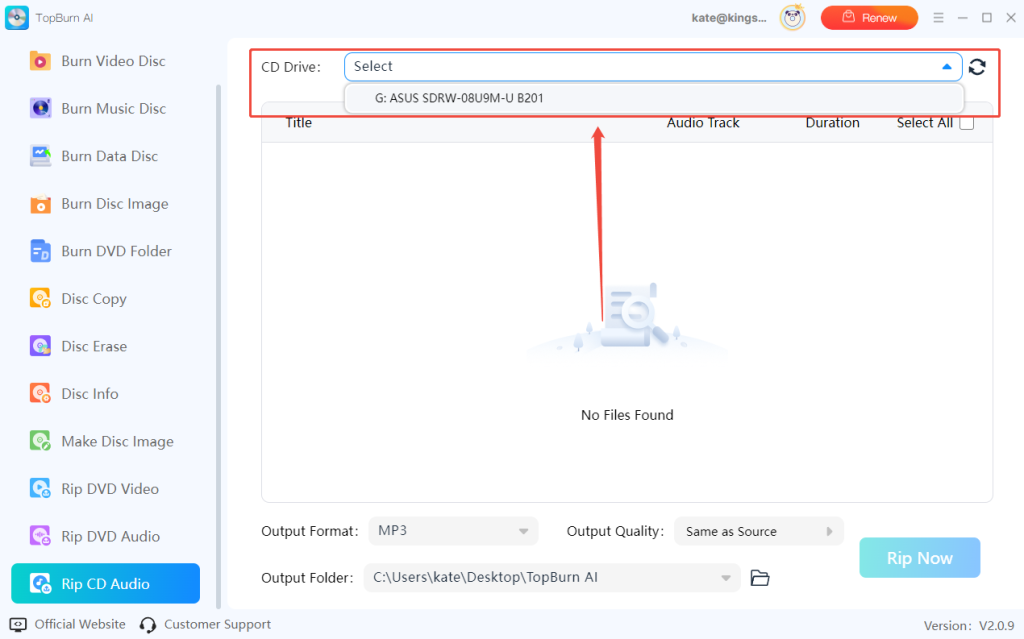
Step 3. The disc is detected automatically. Click “Rip Now” to extract the audio or video.
Best for: Users looking for a simple, beginner-friendly AnyDVD alternative focused on lossless DVD ripping and stable performance on Windows.
2MakeMKV
MakeMKV is a straightforward and reliable AnyDVD alternative that focuses on digitizing discs while preserving original video quality, audio tracks, and full chapter structures. It is widely used by movie enthusiasts, collectors, and advanced users who want to build personal media libraries or archive disc content on home media servers and NAS systems.
Main features:
Supports Windows, macOS, and Linux
Reads both DVD and Blu-ray discs
One-click disc-to-MKV conversion
Suitable for local storage, media servers, and long-term archiving
DVD ripping is free for lifetime use
Fast and stable performance on most systems
Cross-platform compatibility
Pros
Output format limited to MKV only
Large file sizes due to lossless conversion
Cons
How to use MakeMKV:
Step 1. Install MakeMKV on your computer.
Step 2. Insert a DVD or Blu-ray disc into your drive.
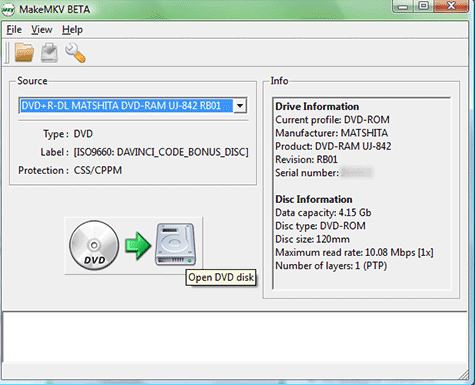
Step 3. Click the disc icon to scan the disc.
Step 4. Select the titles and tracks you want to keep.
Step 5. Click on the “Make MKV” button to start the conversion.
Best for: Users who want an AnyDVD alternative focused on converting discs to high-quality MKV files with full preservation of the original content.
3DVD Decrypter
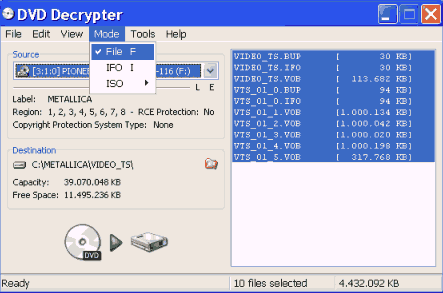
DVD Decrypter allows Windows users to back up and extract DVD content effortlessly, creating a full copy of discs directly on the computer. It's particularly useful for nostalgic collectors, tech enthusiasts, and anyone with older DVD collections who want to archive movies or create ISO images without paying or dealing with complex setups.
Main features:
Backs up entire DVD discs to your hard drive
Supports creating and burning ISO image files
Ideal for archiving and reading older DVDs
Minimalist interface, no complicated settings required
Completely free and ad-free
Runs reliably on older Windows systems
Provides detailed read logs and sector-level control
Pros
No longer developed and cannot handle newer disc protections
Only supports DVD disc
Cons
How to use DVD Decrypter:
Step 1. Install DVD Decrypter on your computer and insert a DVD disc to your PC.
Step 2. Select “Mode” > “File”.
Step 3. Go to “Tools” > “Settings”. Under the “File Mode” tab, choose “All” in the “Select Files” option.
Step 4. Click the “Disc to Hard Drive” icon to start ripping your DVD to the hard disk.
Best for: Users who want a free, lightweight AnyDVD alternative focused on backing up and managing older DVD collections.
4DVDneXtCOPY DVD Ripper
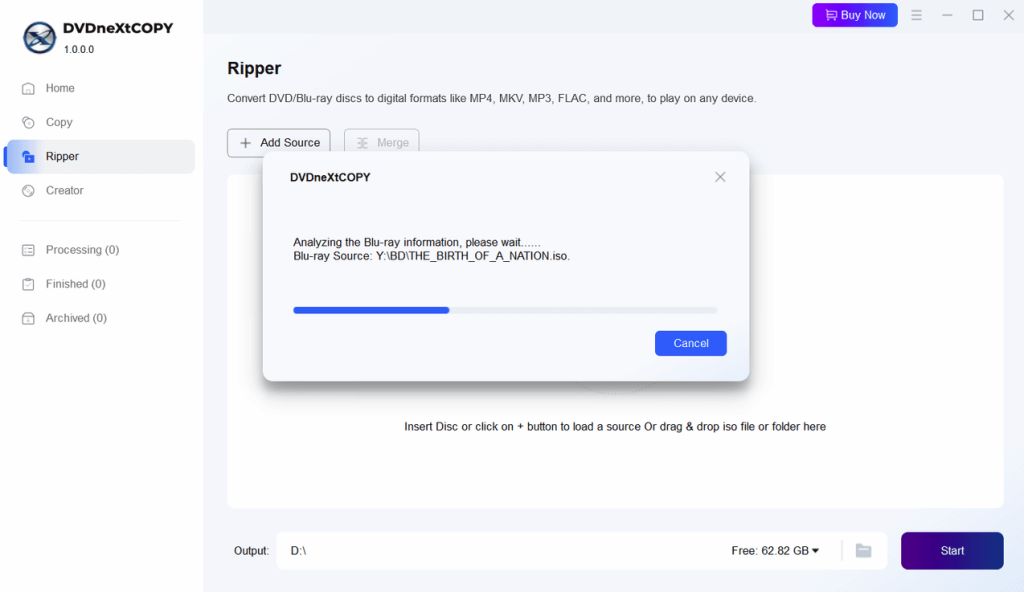
DVDneXtCOPY DVD Ripper is a professional-grade disc processing tool similar to AnyDVD, trusted by movie enthusiasts and advanced home users. It supports DVD copying, ISO image creation, and digital format conversion, making it well-suited for home theaters, media library building, and long-term disc archiving.
Main features:
Supports DVD disc copying and digital format conversion
Enables 1:1 lossless disc and ISO image cloning
Offers multiple popular output formats with compression options
Compatible with major Windows operating systems
Ideal for managing large DVD collections or batch backups
Adjustable output quality for different storage needs
Stable and consistent disc reading performance
Pros
Paid software after the trial period
Requires relatively strong hardware for high-quality processing
Cons
How to use DVDneXtCOPY DVD Ripper:
Step 1. Download and install DVDneXtCOPY on your computer.
Step 2. Insert a DVD disc into your optical drive and wait for detection.
Step 3. Click on the “Ripper” feature. Click “Add Source” to import your DVD folder or ISO file.
Step 4. Click “Start” to begin extracting content from the disc.
Best for: Professional users, movie collectors, and archivists who need a reliable AnyDVD alternative for managing large DVD collections efficiently.
5Xreveal
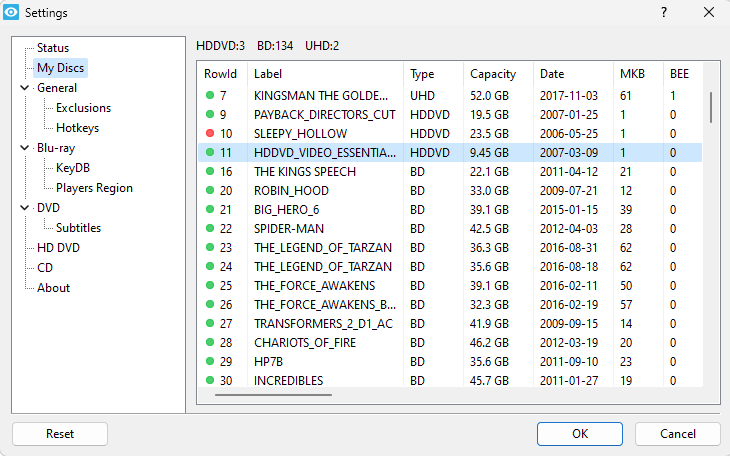
Xreveal is a lightweight disc decryption tool focused on DVD and Blu-ray protection removal, making it a practical AnyDVD alternative for users who prefer a simple, background solution. It works by removing region codes and encryption on the fly, allowing discs to be played or processed freely with media players or third-party ripping software.
Main features:
Supports Windows operating systems
Removes DVD and Blu-ray region codes and copy protections in real time
Eliminates playback restrictions such as UOPs
Allows direct disc access and disc image creation
Core features are free, unlike many premium alternatives
Extremely lightweight and fast, no bundled extras
Regular updates to handle newly released discs
Pros
Blu-ray decryption requires manual setup of the key file
No full graphical interface, runs only in the system tray
Cons
How to use Xreveal:
Step 1. Download the Xreveal and keydb.cfg to decrypt Blu-rays.
Step 2. Launch the app and keep it running in the system tray.
Step 3. Insert a DVD or Blu-ray disc.
Step 4. Open the disc with any media player or ripping software.
Best for: Users who want a lightweight, no-frills AnyDVD alternative that works silently in the background to remove disc access and playback restrictions.
6VLC Media Player
VLC Media Player provides a free and highly reliable solution for playing optical discs, making it a playback-oriented alternative to AnyDVD for everyday users. It supports direct DVD playback across regions without requiring additional decryption drivers, which is ideal for users who simply want to watch their discs without dealing with complex configurations.
Main features:
Works with Windows, macOS, Linux, and mobile platforms
Supports direct playback of DVDs, VCDs, and some Blu-ray discs
Includes basic disc-to-digital conversion tools
No additional codecs or plugins required
Completely free and open-source
Plays most region-locked DVDs out of the box
Pros
Blu-ray playback requires manual key database configuration
Disc ripping features are limited
Cons
How to use VLC Media Player:
Step 1. Insert a disc and click “Media” > “Open Disc” on the VLC Media Player.
Step 2. Select the disc drive and press “Play”.
Step 3. The movie starts immediately, bypassing region restrictions.
Best for: Home users who want a free, stable, and universal media player to watch DVDs directly.
7Tipard Video Converter Ultimate
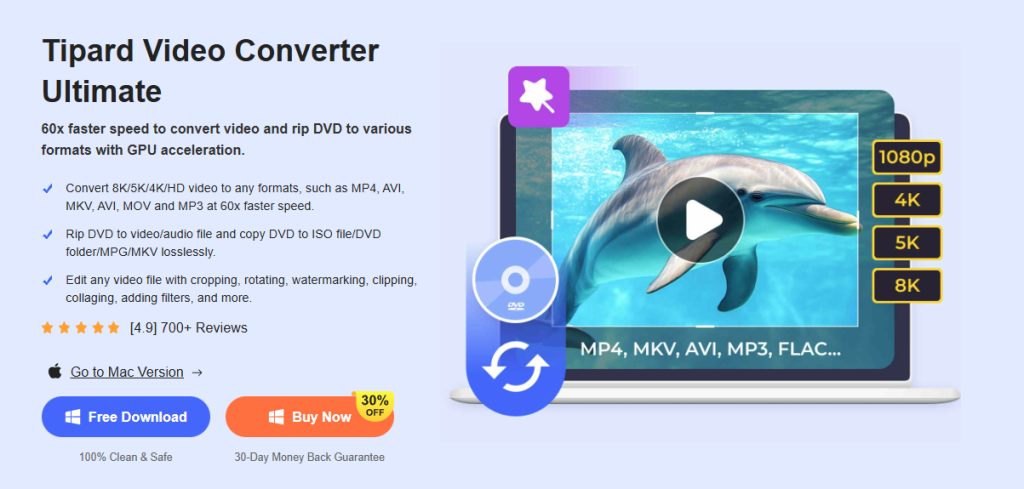
Tipard Video Converter Ultimate stands out as an all-in-one AnyDVD alternative for digitizing DVD content and converting it to multiple formats. It allows users to rip discs, edit videos, and enhance playback quality - all within a single application. Because it integrates ripping, conversion, and editing features, Tipard Video Converter Ultimate is perfect for users who want to turn their DVD collections into digital files for smartphones, tablets, or computers.
Main features:
One-click DVD ripping to MP4, MKV, MOV, and other digital formats
Compatible with Windows and macOS
Built-in video editor for trimming, filters, watermarks, and subtitle addition
GPU acceleration for faster conversions
Combines ripping, conversion, and editing in one tool
Supports over 500 video and audio formats
Modern interface with intuitive workflow
Pros
Free trial limits conversion duration or certain features
Some newly encrypted DVDs may require software updates
Cons
How to use Tipard Video Converter Ultimate:
Step 1. Launch Tipard Video Converter Ultimate on your computer.
Step 2. Click “Load Disc” to import DVD content.
Step 3. Select the desired output format (e.g., MP4, iPhone, or Android preset).
Step 4. Click “Convert All” to start digitizing your DVD.
Best for: Users who need a versatile, one-stop solution to rip, edit, and convert DVDs for easy playback on multiple devices.
Part 3. 7 AnyDVD Alternatives: Which is the Best
Choosing the best AnyDVD alternative depends on your media types, whether you need lossless backups or format conversion, and how important video quality and cost are. Below is a compact comparison across compatibility, supported media, video quality, ease of use, main features, and privacy to help you choose quickly.
AnyDVD Alternative
Compatibility
Supported Media
Video Quality
Ease of Use
Main Features
Privacy
TopBurn AI
Windows (7/8/10/11)
DVD, CD, ISO image
1:1 lossless; HD after digitization
⭐⭐⭐⭐⭐
Image burning, sector-level reading, and removing region codes
100% local processing, no data upload
MakeMKV
Windows, macOS, Linux
DVD, Blu-ray
1:1 lossless original quality
⭐⭐⭐⭐
Preserve full audio/subtitles, streaming, fast remux
Safe, no bundled software
DVD Decrypter
Windows (legacy support)
DVD
1:1 lossless
⭐⭐⭐⭐
Image burning, sector-level reading, remove region codes
Legacy software, no modern security updates
DVDneXtCOPY
Windows
DVD
1:1 lossless or compressed
⭐⭐⭐⭐
Disc burning, compress to single-layer, mobile format conversion
Commercial software, reliable
Xreveal
Windows
CD, DVD, BD, UHD
Original quality passthrough
⭐⭐⭐
Depends on the source
Minimalist, no ads or privacy collection
VLC Media Player
Windows, macOS, Linux, Android
DVD, VCD, some Blu-ray
Depends on source
⭐⭐⭐
Cross-region playback, format conversion, multimedia support
Open-source and secure
Tipard Video Converter Ultimate
Windows, macOS
DVD
HD / 4K optimized
⭐⭐⭐⭐
Video editing, GPU acceleration, quality enhancement, toolbox
Local processing, privacy-safe
In short, among these AnyDVD alternatives, TopBurn AI stands out for intelligent, one-click lossless ripping; tools like MakeMKV and Xreveal shine for seamless decryption.
Choosing the right AnyDVD alternative depends largely on your specific needs, whether it’s lossless disc backup, cross-platform compatibility, or additional features like format conversion and playback. For most users seeking an easy-to-use, intelligent, and efficient AnyDVD replacement, TopBurn AI offers the most well-rounded experience with simple operation, smooth disc reading, and powerful disc-handling capabilities.
If you need more specialized features, such as full disc packaging, free playback, or advanced ripping options, tools like MakeMKV, Xreveal, or VLC Media Player deliver excellent performance for specific use cases.
Ultimately, whether you’re a home cinema enthusiast, casual user, or tech-savvy professional, there’s an AnyDVD alternative suited to your needs and budget.
AnyDVD Alternatives FAQs
Q1: Why is AnyDVD not working?
AnyDVD can run into issues for various reasons, such as the developer stopping updates (RedFox no longer maintains it), inability to connect to the key database, or failure to handle new disc encryption technologies. Common problems include the software failing to launch, showing server connection errors, or being unable to read newly released discs. To troubleshoot, you can try offline mode or third-party key updates, but the most reliable solution is to switch to an alternative.
Q2: Why use TopBurn AI for disc ripping or copying?
TopBurn AI is an easy-to-use, high-performance disc processing tool that supports lossless reading of DVD and CD content, with fast speeds and broad compatibility. Its intelligent recognition, clean interface, and seamless Windows support make it perfect for quickly backing up discs or converting them to digital formats.
Q3: What is the free alternative to AnyDVD?
TopBurn AI provides a seamless alternative to AnyDVD, offering similar disc ripping and conversion capabilities with a more intuitive interface. Users can complete the full workflow from disc to digital file without needing multiple programs.

















 All
All




















 Windows
 win
win
 mac
mac