Got it

{{ postData.top_advertising_product.g_name }}

Windows
Buy Now

How to Use DramaWave to Watch Series on PC (FREE)

Key Takeaways

  • There are only two effective ways to watch DramaWave on a PC:
  • ● Use an Android emulator to simulate a mobile environment on your computer.
  • ● Use a third-party screen mirroring software.

Kingshiper Screen Mirroring lets you mirror your phone to a PC while keeping high-definition quality:

1️⃣Make sure your PC and phone are on the same Wi-Fi network, then open the software and use Wi-Fi mirroring.
2️⃣Launch the DramaWave app on your phone and mirror the screen to PC.
3️⃣Click to start watching and enjoy the series instantly on the big screen.

Knowing how to use DramaWave to watch series on a PC is essential for drama fans, binge-watchers, or anyone who wants to enjoy their favorite shows on a bigger screen.

Whether you're using Windows, Mac, or a laptop, this guide will walk you through the best free ways to run DramaWave on your computer, letting you watch your favorite series with a wider view and a better audiovisual experience.

Kingshiper Screen Mirroring

Official

About DramaWave

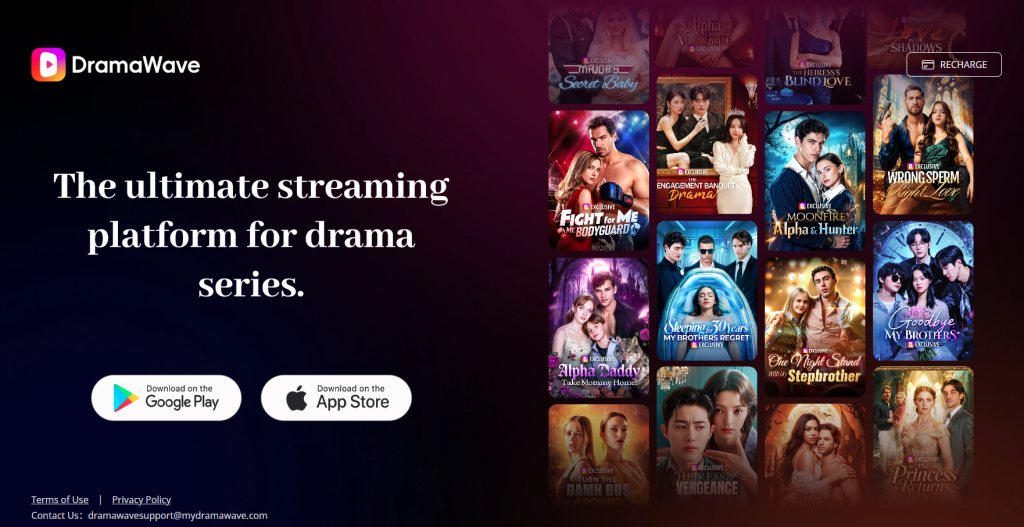
DramaWave, or simply DW, is a new player in the short-series streaming field. It first appeared as a mobile app in overseas markets and officially became a widely popular short-series platform with its global update in September 2023.

DramaWave embodies the next-generation short-series aesthetic: immersive full-screen vertical videos, 1080P high-definition quality, tightly paced micro-series storytelling, and a rich library of exclusive shows.

For viewers who enjoy fast-paced, high-impact entertainment, DramaWave’s gripping plot twists, diverse genre offerings, and instant-play, on-the-go streaming experience perfectly match what they’re looking for.

how-to-use-dramawave-pc

How to Use DramaWave to Watch Series on Windows/Mac PC

To watch the DramaWave series on a PC or laptop without lag, solutions can vary depending on your operating system and specific viewing needs.

Below is a comparison of three popular tools for watching DramaWave on a computer:

FeatureKingshiper Screen MirroringNoxPlayerLDPlayer
Supported OSWindows 7/8/10/11Windows & macOSWindows
PC Resource UsageVery low (doesn’t require high specs)HighHigh
DramaWave Download RequiredNo (mirrors directly from phone)YesYes
Account SyncAutomatic (syncs with phone)ManualManual
System RequirementsLowHighHigh
Download RequiredYesYesYes
PriceFree / PaidFreeFree

Option 1Kingshiper Screen Mirroring

Kingshiper Screen Mirroring is a powerful Android and iOS screen mirroring tool, supporting simultaneous streaming of your screen, audio, microphone, and system display.

It provides 4K streaming quality, designed for viewers who want to watch mobile content on a PC, allowing DramaWave to be mirrored in real time with a wide viewing area, low latency, and no time limits.

Kingshiper Screen Mirroring

Official

Steps to mirror DramaWave with Kingshiper Screen Mirroring:

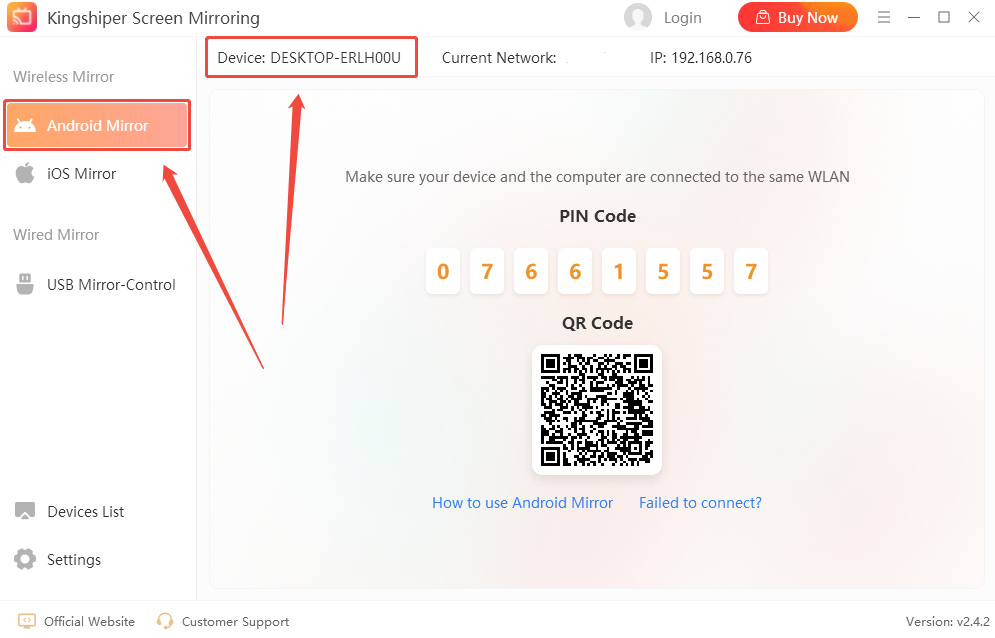
Step 1. Open Kingshiper Screen Mirroring on your PC, select “Android Mirror”, and note your device name.

kingshiper-use-dramawave-pc

Step 2. On your mobile device, open Kingshiper Screen Mirroring, tap WiFi, find your PC device name, and tap to connect.

kingshiper-use-dramawave-pc-2

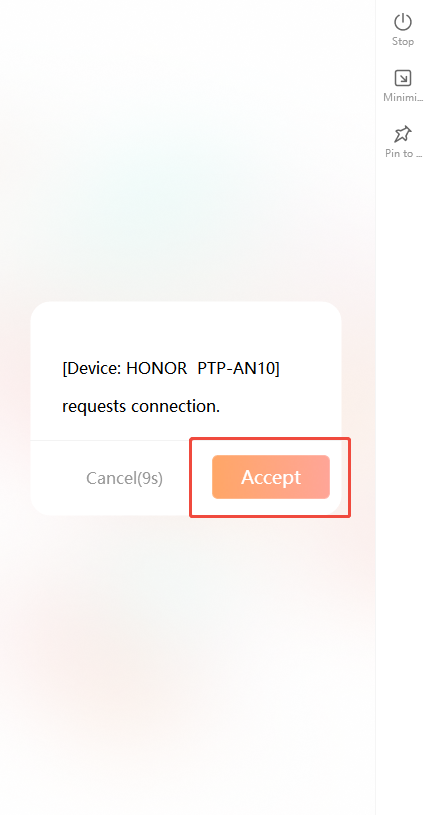
Step 3. A connection confirmation window will pop up on your PC. Click “Accept” to confirm. Once connected, your mobile screen will be mirrored to your PC.

kingshiper-use-dramawave-pc-3

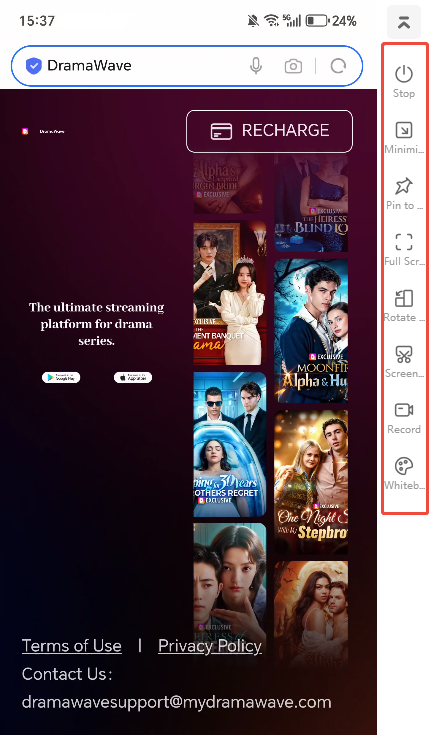
Step 4. A toolbar will appear on the right side of the software, so you can switch to full-screen mode or rotate the screen. The screenshot icon lets you capture stills from the series, and the record icon lets you save clips of the currently playing show.

kingshiper-use-dramawave-pc-4

Step 5. After finishing your viewing session, you can disconnect. Kingshiper also provides additional features, such as controlling your phone from your PC, adding annotations (text/doodles), and managing recorded content.

Option 2Noxplayer

NoxPlayer is an Android emulator for Windows and Mac that lets you easily run DramaWave on a computer. It is also one of the most popular tools for using apps like Instagram, PUBG Mobile, and Lemon8 on a PC.

Steps to watch DramaWave on Windows and Mac with NoxPlayer:

Step 1. Download and install NoxPlayer, then launch the emulator.

Step 2. Click the search bar and enter DramaWave, or open the Google Play Store and search for it. You may need to sign in with a Google account to download the app.

Step 3. Select DramaWave from the search results and click “Install” to start downloading.

Step 4. After installation, find the app on the home screen or in the My Apps folder and open it to start watching series on your PC.

noxplayer-use-dramawave-pc

Option 3LDPlayer

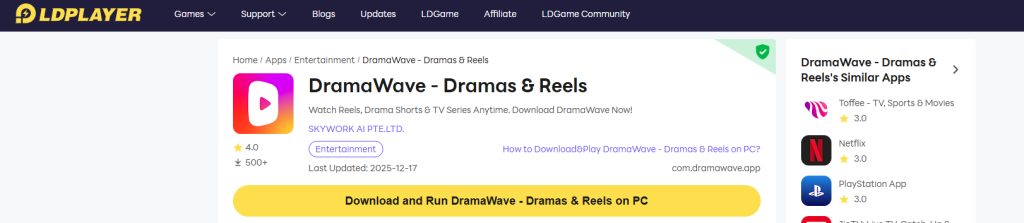
LDPlayer is a lightweight Android emulator for PC users, known for its low resource usage and smooth performance. It also supports running DramaWave on a large screen without lag.

Steps to watch a series on a PC with LDPlayer:

Step 1. Open LDPlayer and go to the Google Play Store.

Step 2. Sign in with your Google account if you want to sync your watch history.

Step 3. Install DramaWave and launch the app.

Step 4. Click “Close” after finishing the series. Your viewing progress will be saved automatically.

ldplayer-use-dramawave-pc

Is It Safe to Use DramaWave on PC

DramaWave officially supports playback only through its mobile apps on the App Store and Google Play, which provides a safe and authorized way to watch content. Using untrusted third-party websites or cracked software to access DramaWave videos typically violates its security policies. For PC users, the safest and most straightforward method is to use screen mirroring tools like Kingshiper or the official versions of trusted Android emulators, which protect your privacy and keep your device secure.

If you want to record highlights or clips from a series, make sure to get permission from the copyright holder to avoid any legal issues. Additionally, ensure that any mirrored or emulated content is used for personal purposes only, such as watching, sharing with friends, or discussing the plot. Any unauthorized redistribution or commercial use is clearly illegal.

Conclusion

There are three ways in this article to watch series through DramaWave on a PC. Choosing between an Android emulator and a screen mirroring tool depends on personal needs. Android emulators are suitable for users who want a standalone, phone-independent experience. Screen mirroring tools, like Kingshiper Screen Mirroring, are ideal for those seeking high-definition, large-screen viewing with lower PC resource usage.

Kingshiper Screen Mirroring

Official

Latest Articles